.png?width=1391&height=437&name=SCALIS%20Logo%20(1).png)
CANDIDATE MANAGEMENT
Follow this step-by-step guide to learn how to reschedule an interview.
5 steps2 min read
1
Step 1
Locate the job requisition
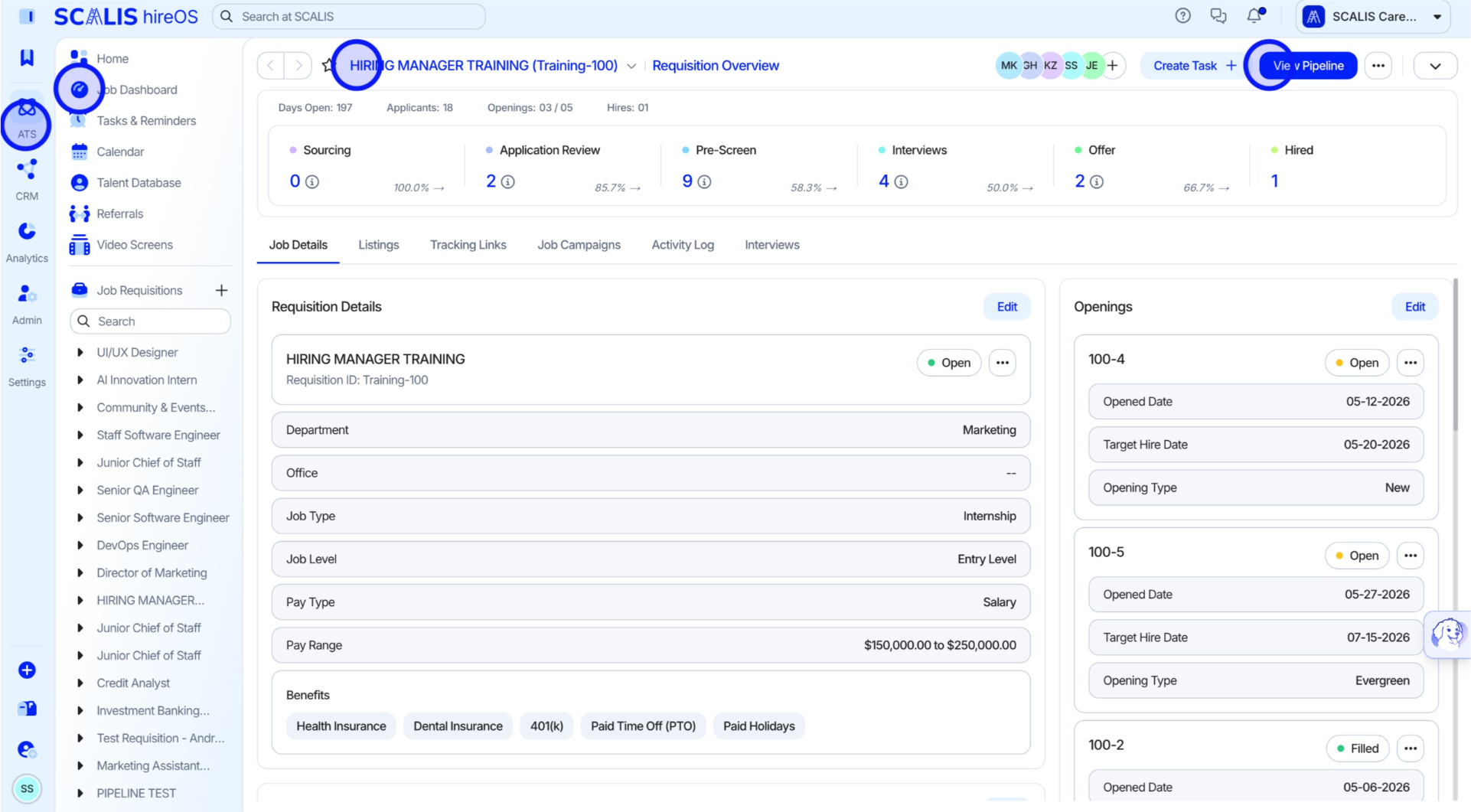
Navigate to the requisition that the candidate is in, then select View Pipeline.
2
Step 2
Open the candidate's profile
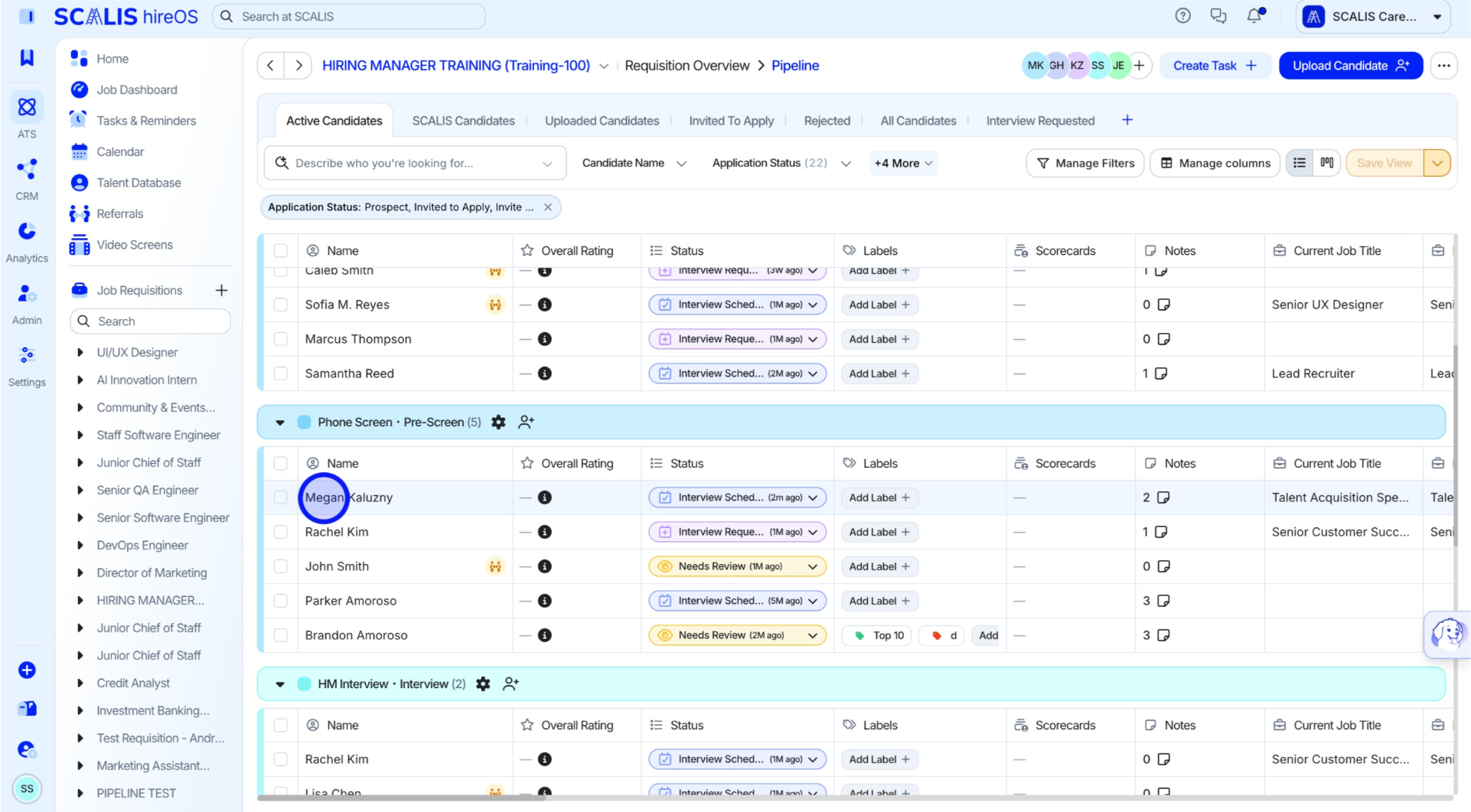
Navigate to the stage the candidate is in, then select the candidate's name.
3
Step 3
Start the reschedule
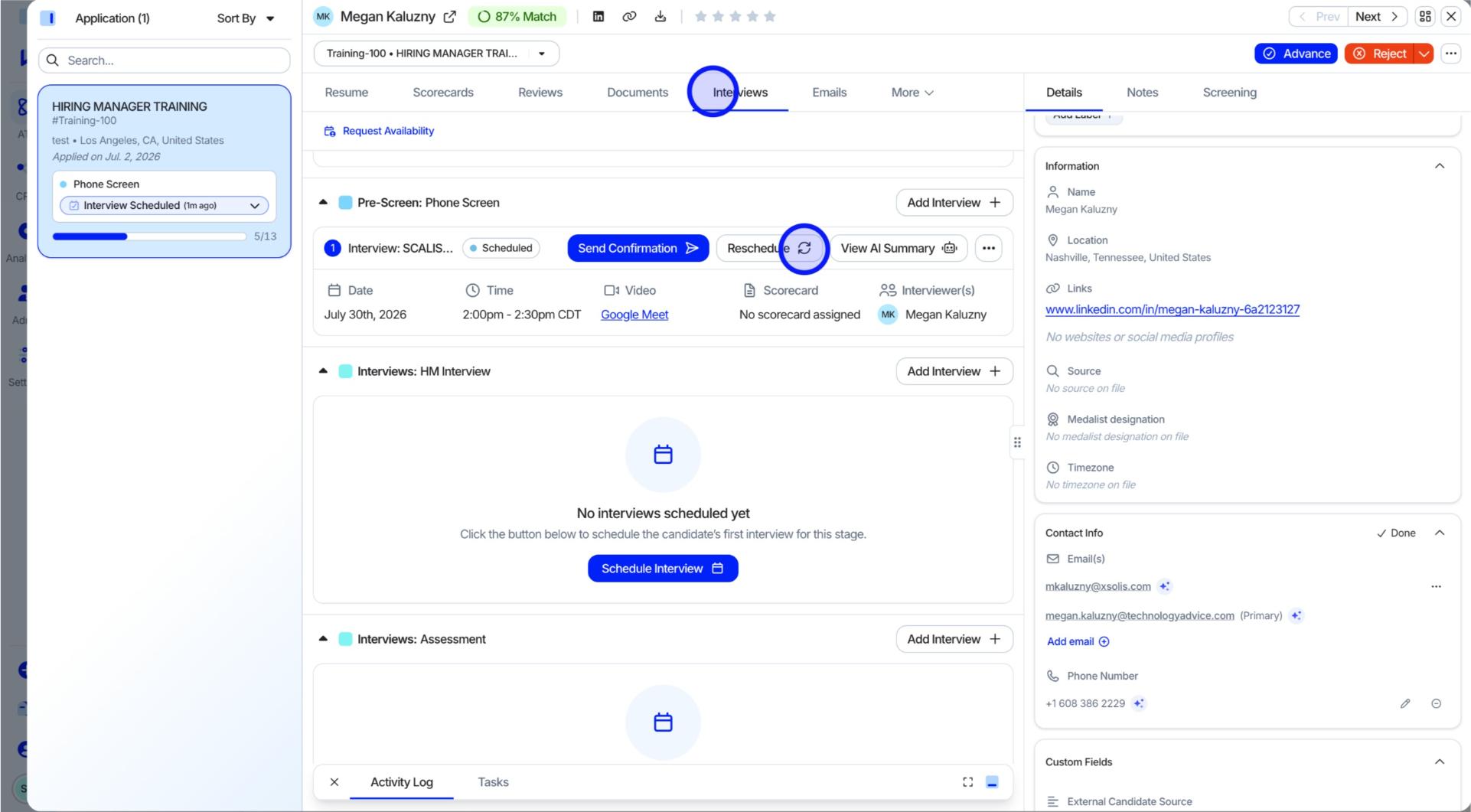
Select the Interviews tab at the top, then select Reschedule on the interview you'd like to change.
4
Step 4
Choose the new time
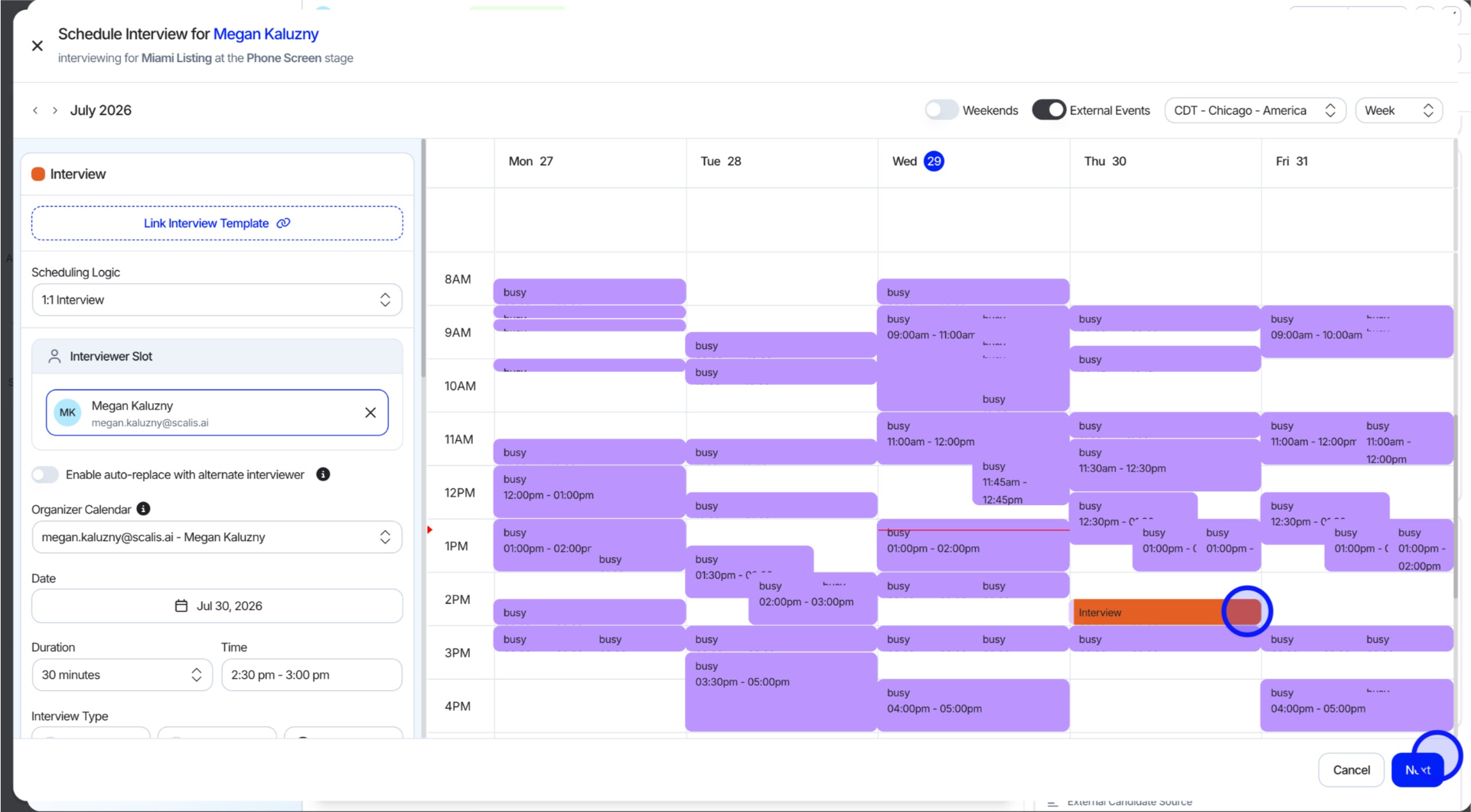
Once the drawer opens, select the new time, then select Next.
Confirm the interview confirmation email, then select Done. The interview is now rescheduled.
✓
Final Step
Done
The event updates automatically, no further action needed.
The interview is rescheduled, and both the interviewer and candidate receive an email notification that it's been changed.
Reach out to your SCALIS CSM if you run into any trouble rescheduling an interview.