.png?width=1391&height=437&name=SCALIS%20Logo%20(1).png)
HIRING TEAM MANAGEMENT
Enrich candidate profiles with verified emails, phone numbers, and location details to build a complete, accurate profile.
6 steps2 min read
1
Step 1
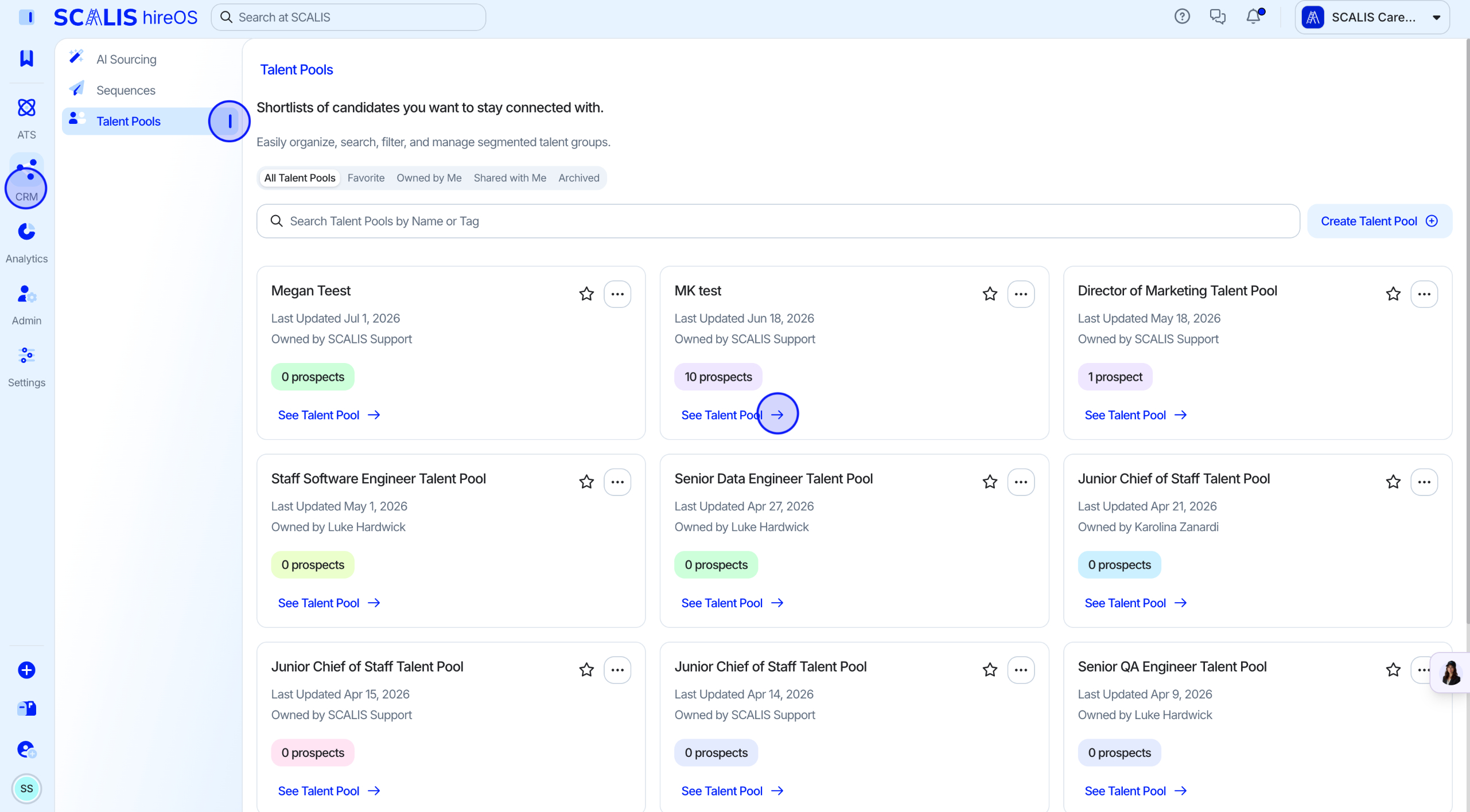
Pull the candidate into a Talent Pool
Data Enrichment is available once a candidate has been pulled from the CRM.
When you've decided on a candidate you want to move forward with in the CRM, add them to a Talent Pool.
2
Step 2
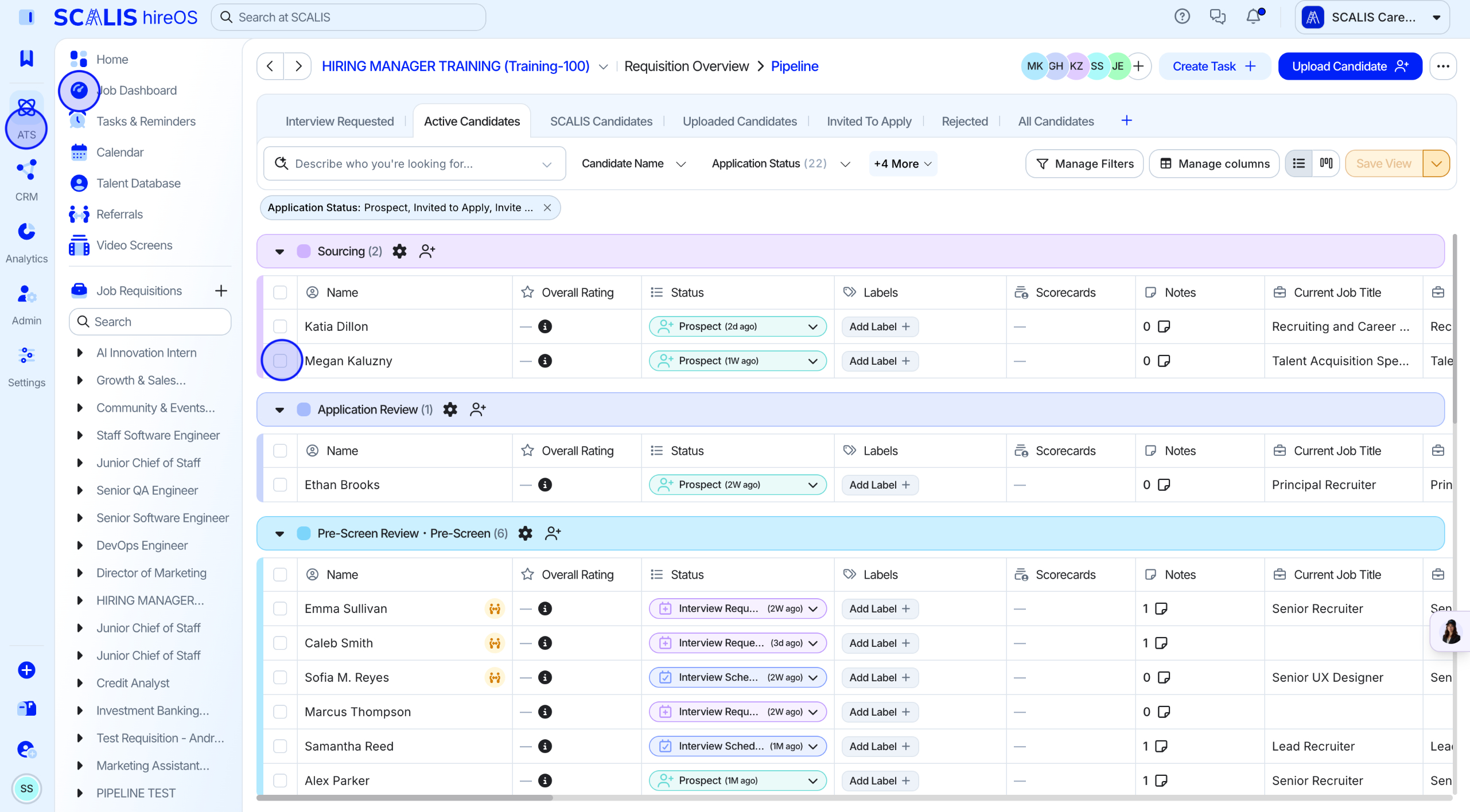
Or add them directly to a job requisition pipeline
Instead of a Talent Pool, you can add the candidate directly into a job requisition pipeline to find their profile.
3
Step 3
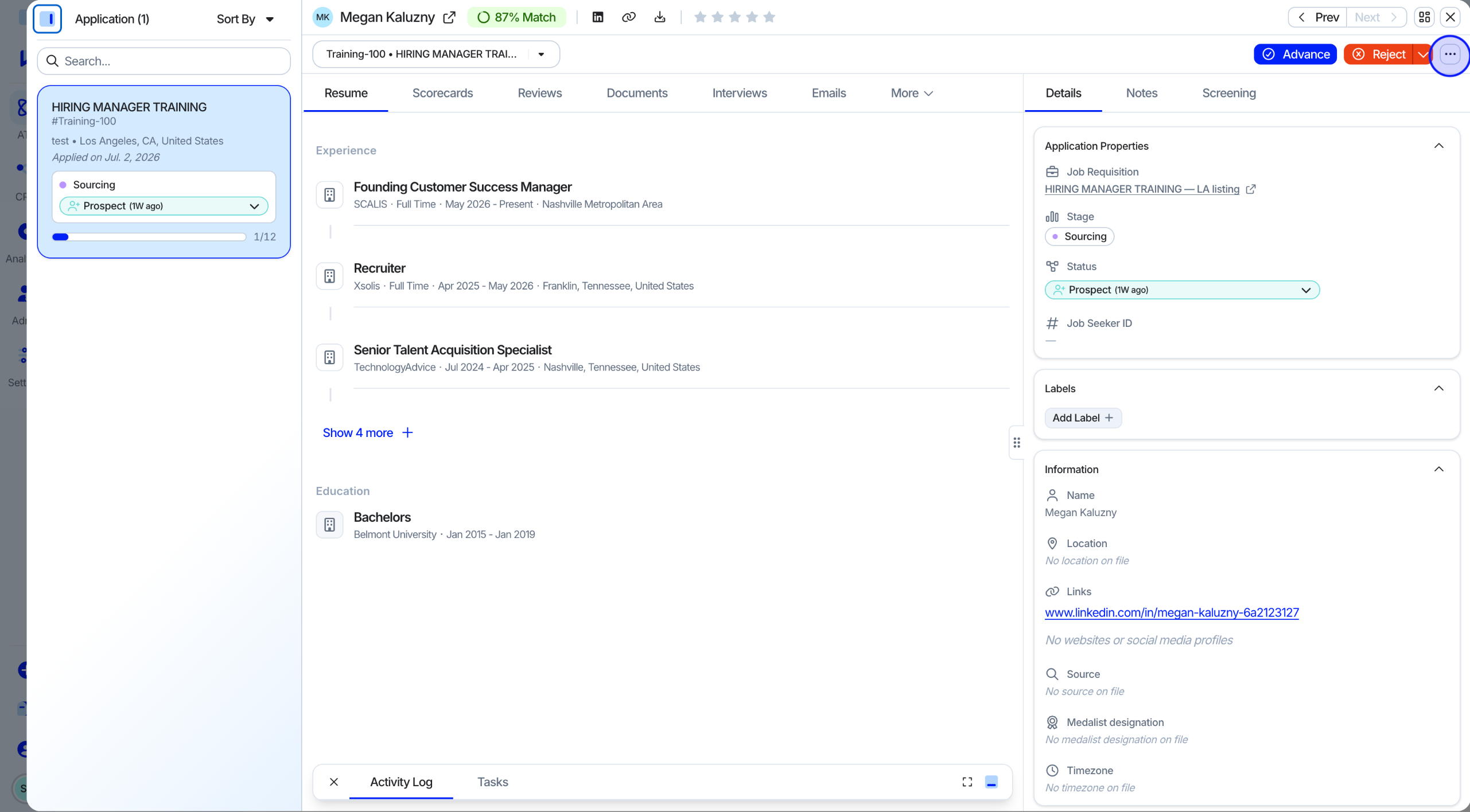
Open the candidate's profile
Click into the candidate's profile.
Click the "..." menu in the top right corner.
4
Step 4
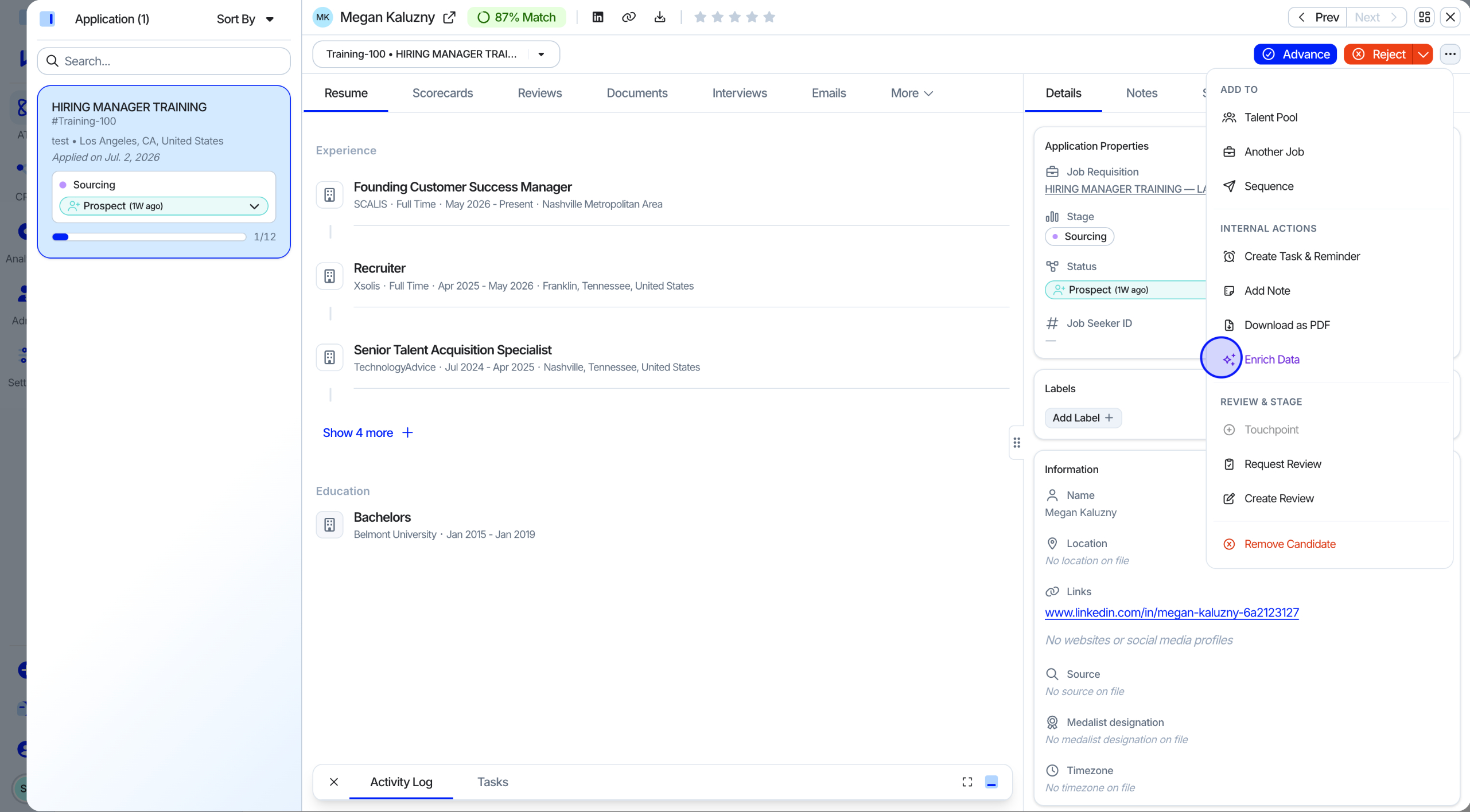
Select Enrich Data
Select "Enrich Data" from the menu.
5
Step 5
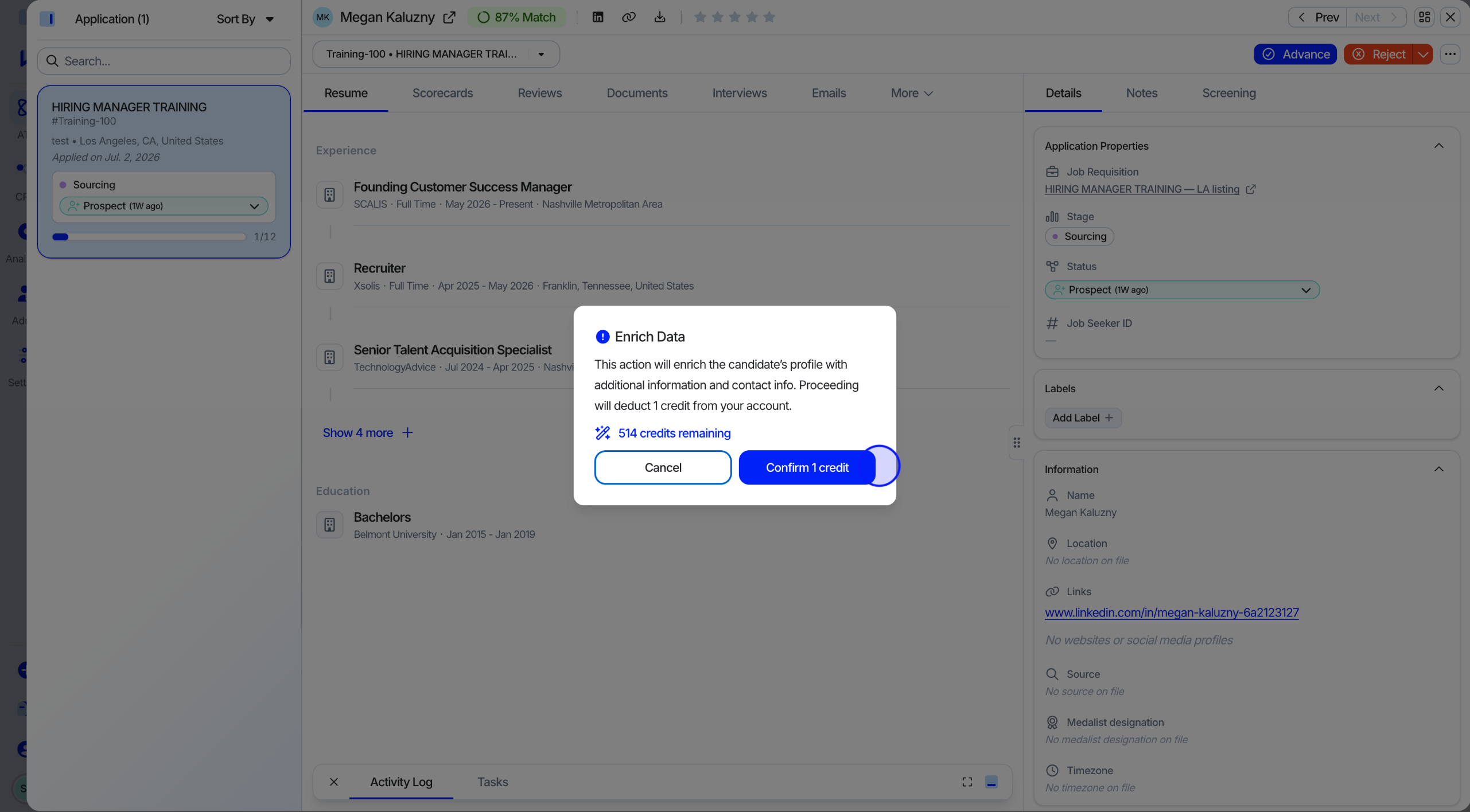
Confirm the credit cost
Confirm the action.
⚠️ Warning: This action costs 1 credit per candidate.
✓
Final Step
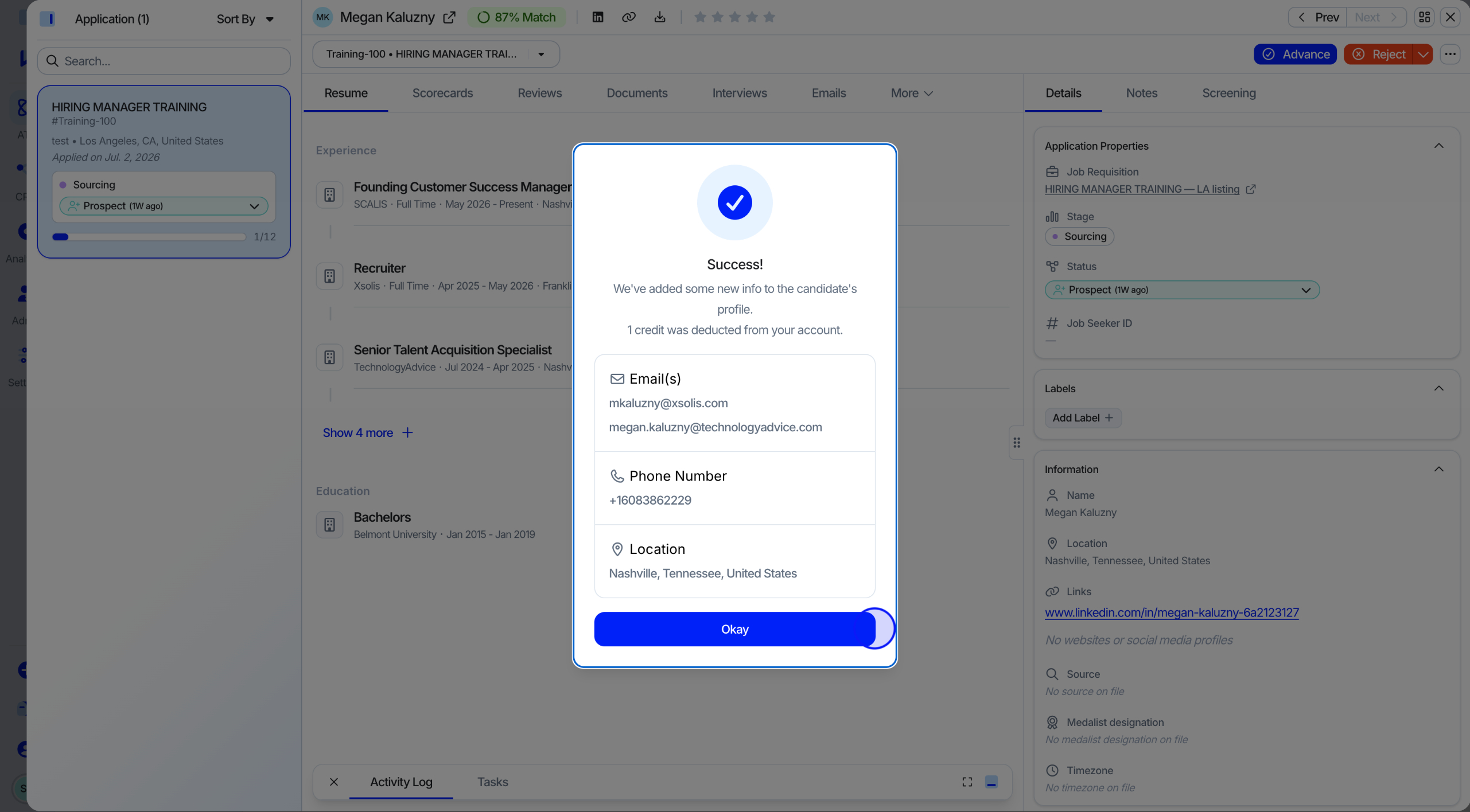
Review the enriched results
A pop-up shows the retrieved data, verified emails, phone numbers, and location, or lets you know if nothing was found.
💡 Note: If no information is found, no credit is deducted.
That's it, your candidate profiles are now enriched with verified contact and location data. Questions? Reach out to your CSM or browse more guides in the Knowledge Base.