.png?width=1391&height=437&name=SCALIS%20Logo%20(1).png)
💡 Your SCALIS profile serves as a single, versatile account that functions seamlessly for both job seekers and employers. It streamlines the hiring and job-seeking process by consolidating all relevant information into one profile.
Step 1: Create your SCALIS Account
Each SCALIS user has a universal profile, usable as both a job seeker and an employer.
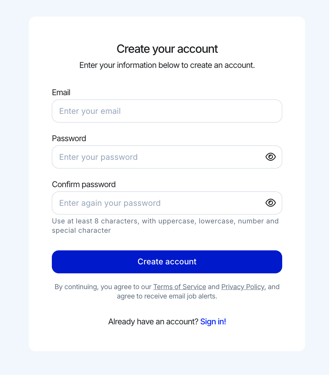
- Go to SCALIS.ai.
- Click Create Account.
- Enter your email and choose a secure password.
- Verify your email to complete your profile setup.
Step 2: Creating Your Company Workspace
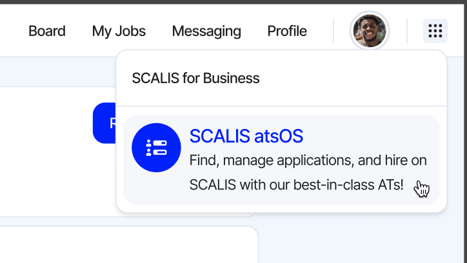
- Once you've create you SCALIS account, Click SCALISatsOS from the top right corner of your navigation bar.
- Enter your company name and choose your workspace URL.
- Add your company location. (Additional office locations can be added later.)
- Provide your company information and hiring goals. (This helps SCALIS’s algorithm provide better matches and allows our customer success team to support your hiring needs effectively.)
🔥 TIP: Create additional workspaces to manage multiple entities or distinct processes within your company.
🔥 TIP: Use recognizable office names for company-wide clarity.