.png?width=1391&height=437&name=SCALIS%20Logo%20(1).png)
JOB SETUP
Build job-specific application forms with screening questions tailored to each role.
10 steps5 min read
What are template screening questions?
Template screening questions are created once and added to one or multiple application forms. This lets teams tailor candidate screening for specific roles without applying the same questions to every job listing individually.
What are application forms?
Application forms are job-specific forms attached to individual job listings. They include screening questions tailored to a specific role, so you can evaluate and filter candidates based on role-specific qualifications and requirements during the application stage.
Creating Template Screening Questions
1
Step 1
Start a New Template Question
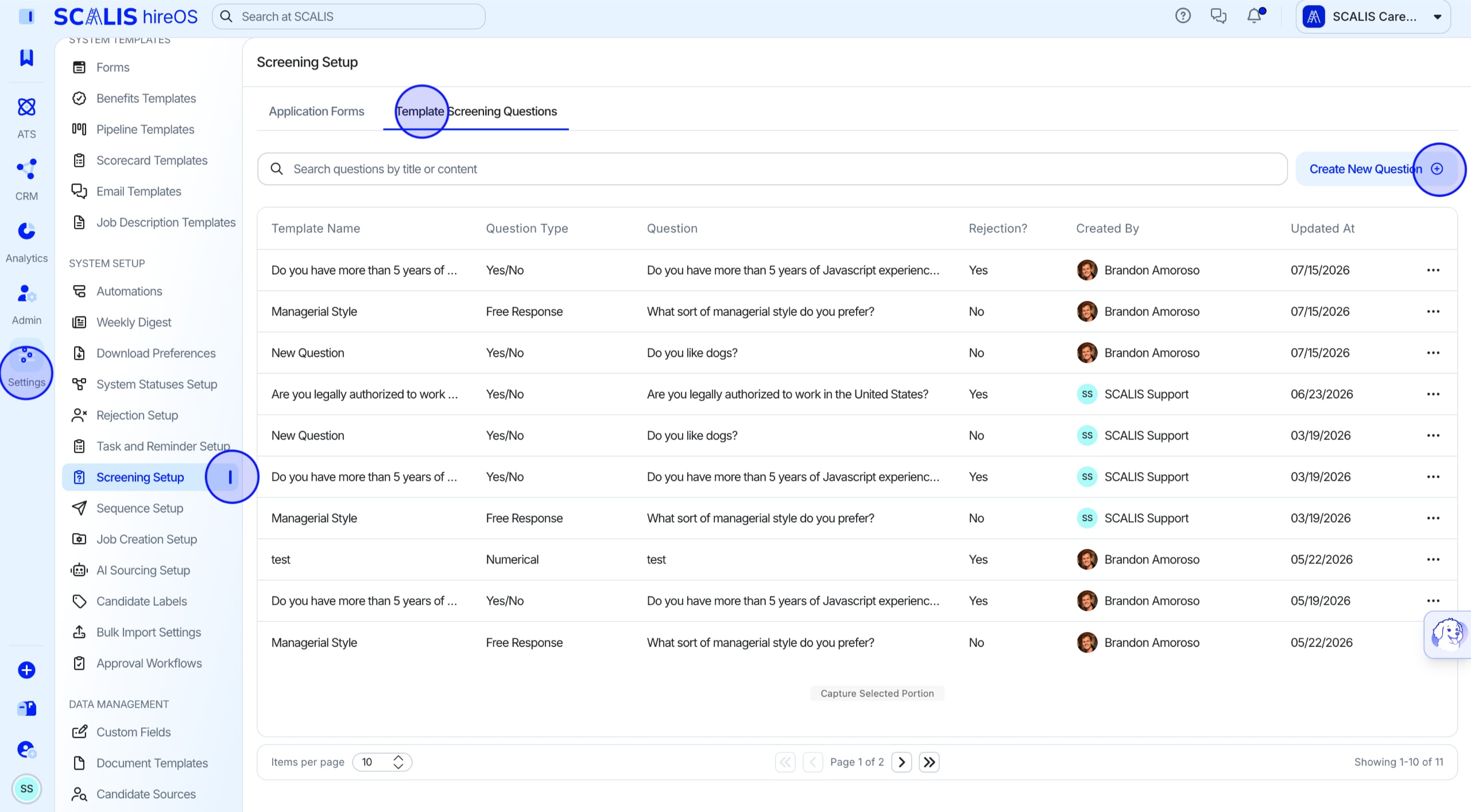
Navigate to Company Settings and select Screening Setup.
Select Application Forms, then select Create New.
2
Step 2
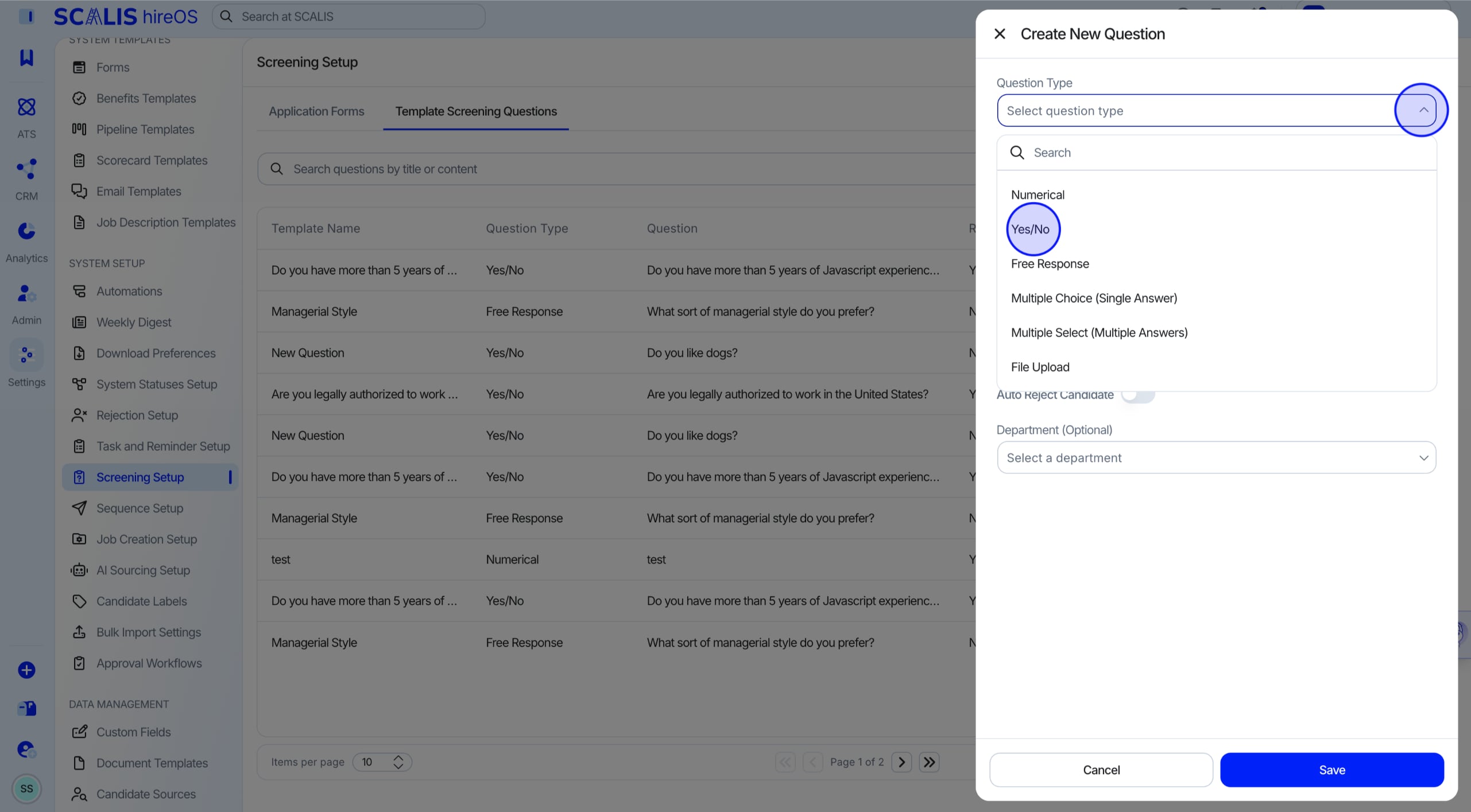
Select a Question Type
Choose a question type: Yes/No, Multiple Choice, Multiple Select, Free Response, Numerical, or File Upload.
💡 Note: Choosing Yes/No, Multiple Choice, or Multiple Select lets you set up an auto-rejection for that question.
3
Step 3
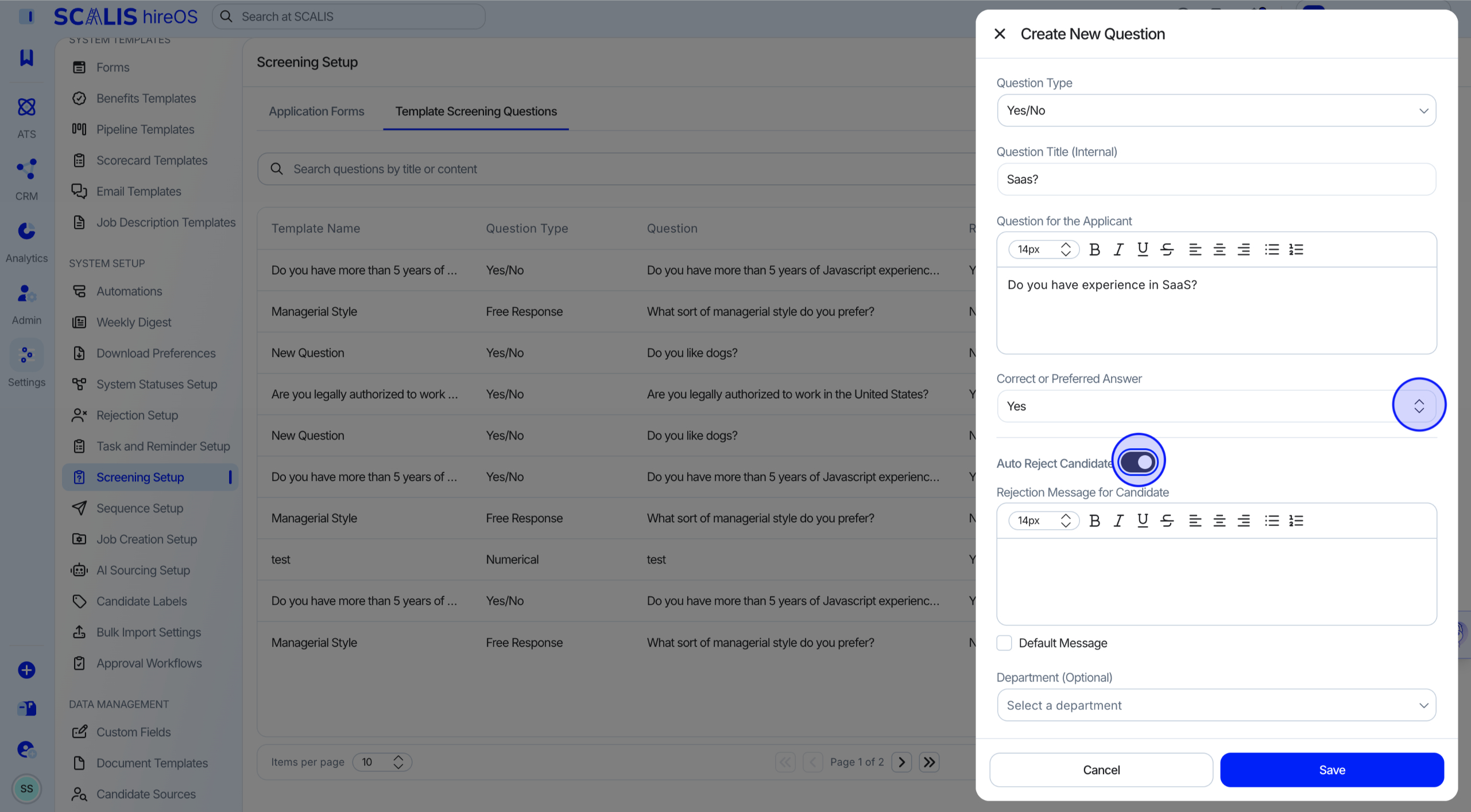
Set the Correct Answer
If applicable, select the correct answer for the question.
Decide whether to auto-reject candidates who answer incorrectly.
4
Step 4
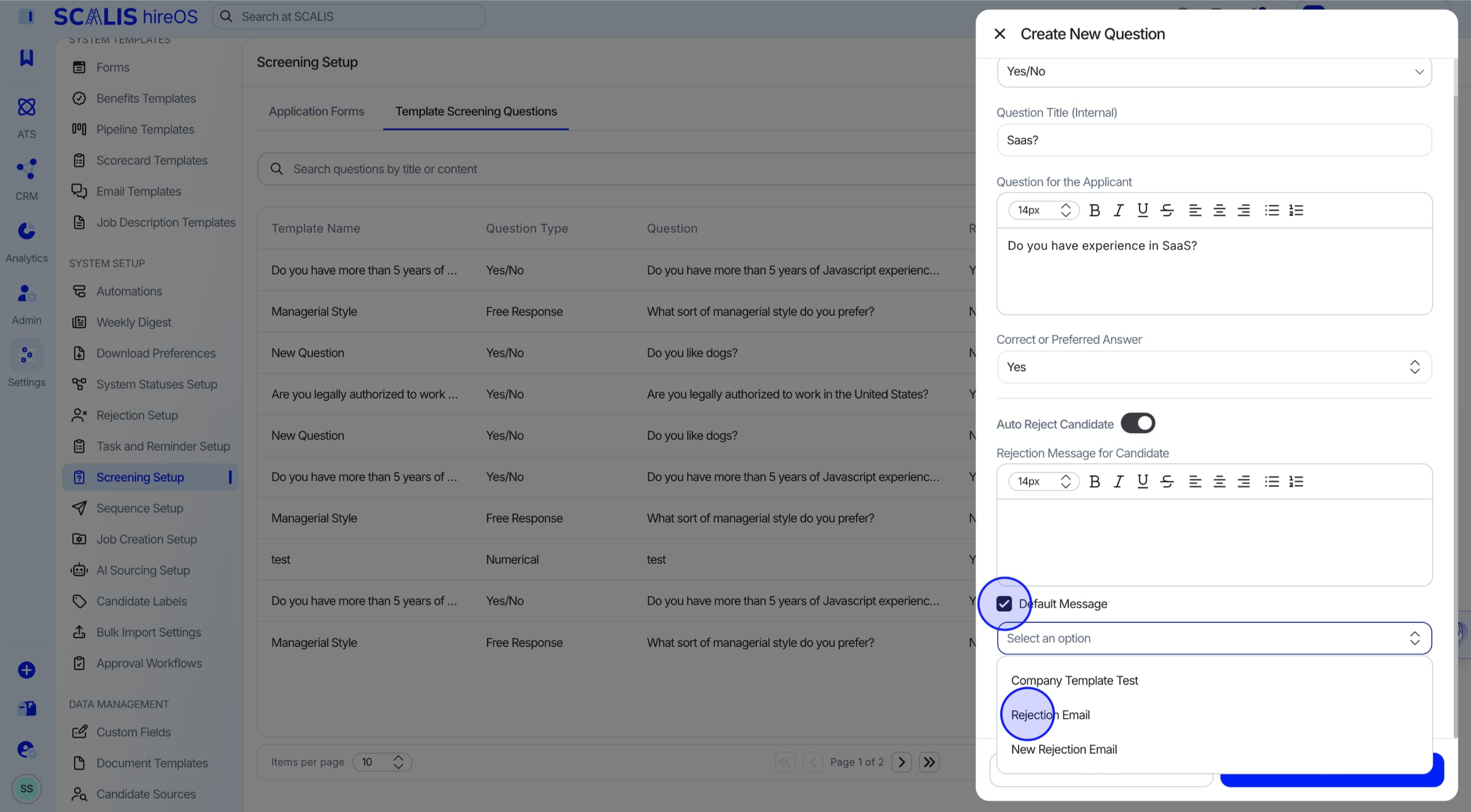
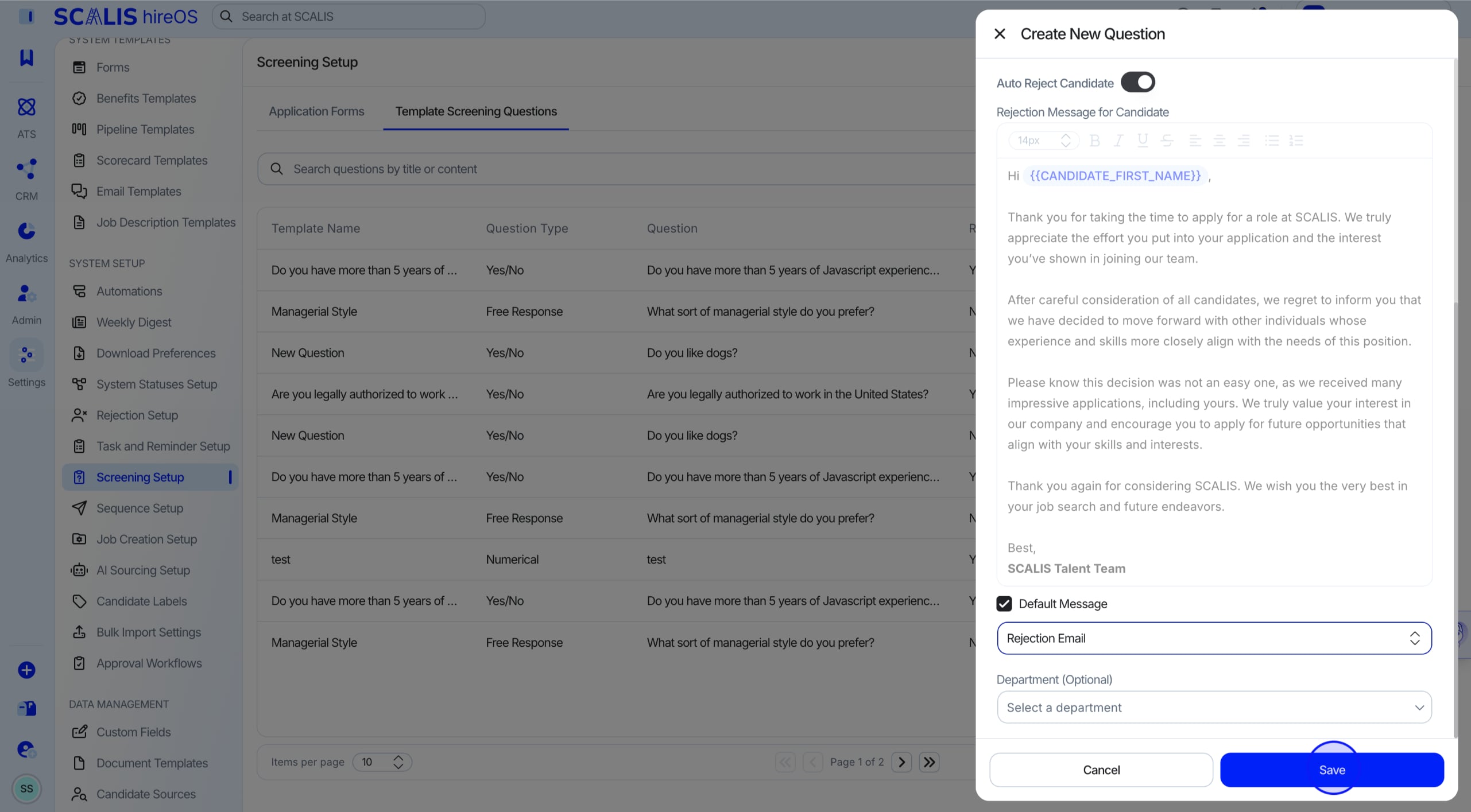
Choose a Rejection Message
Decide on the message candidates will receive if they're rejected.
Select Default Message to pull from your default email templates.
5
Step 5
Save the Question
Select Save.
💡 Note: The question is now available to add to any application form.
Creating an Application Form
6
Step 6
Start a New Application Form
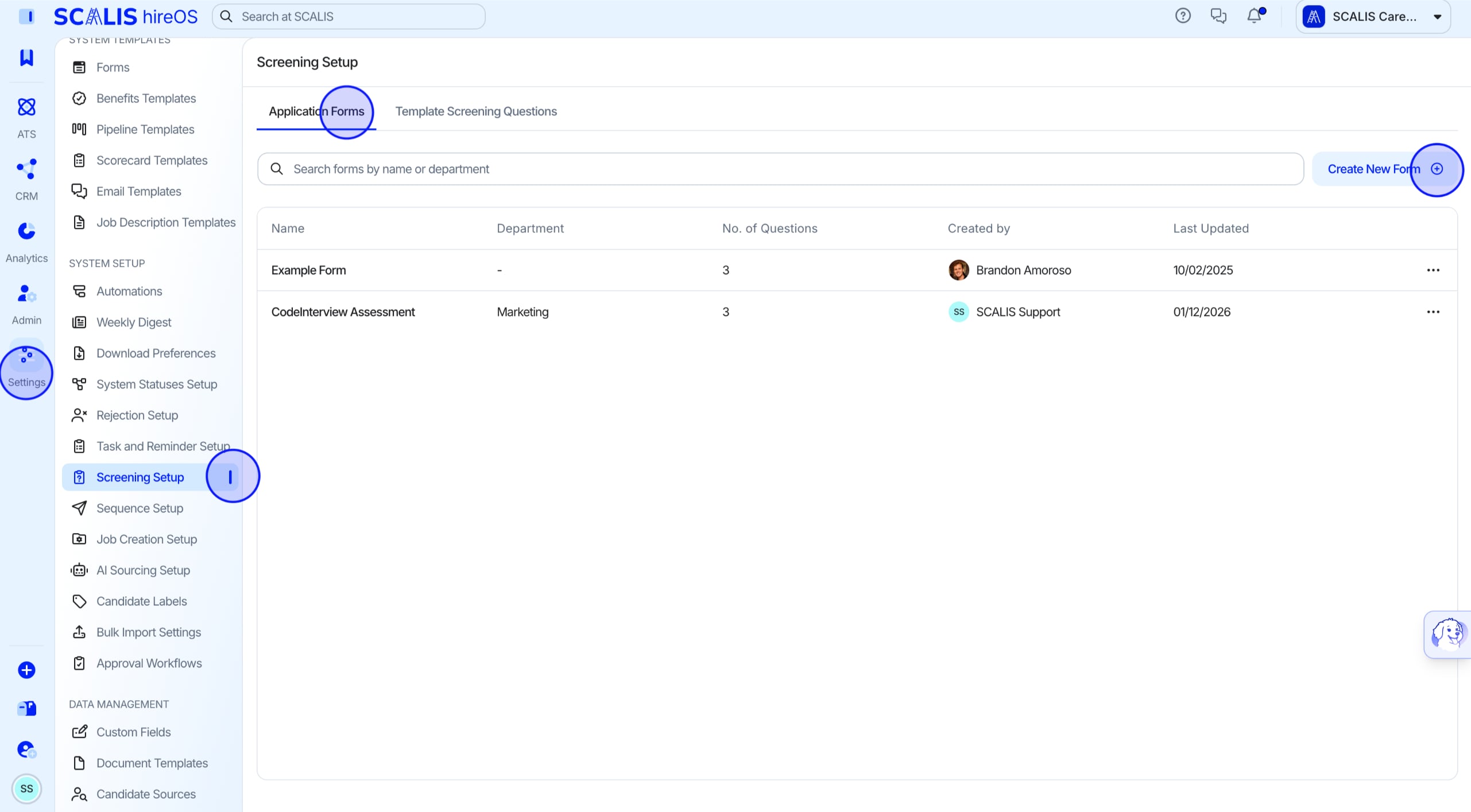
Navigate to Company Settings, select Screening Setup, then select Application Forms.
Select Create New Form.
7
Step 7
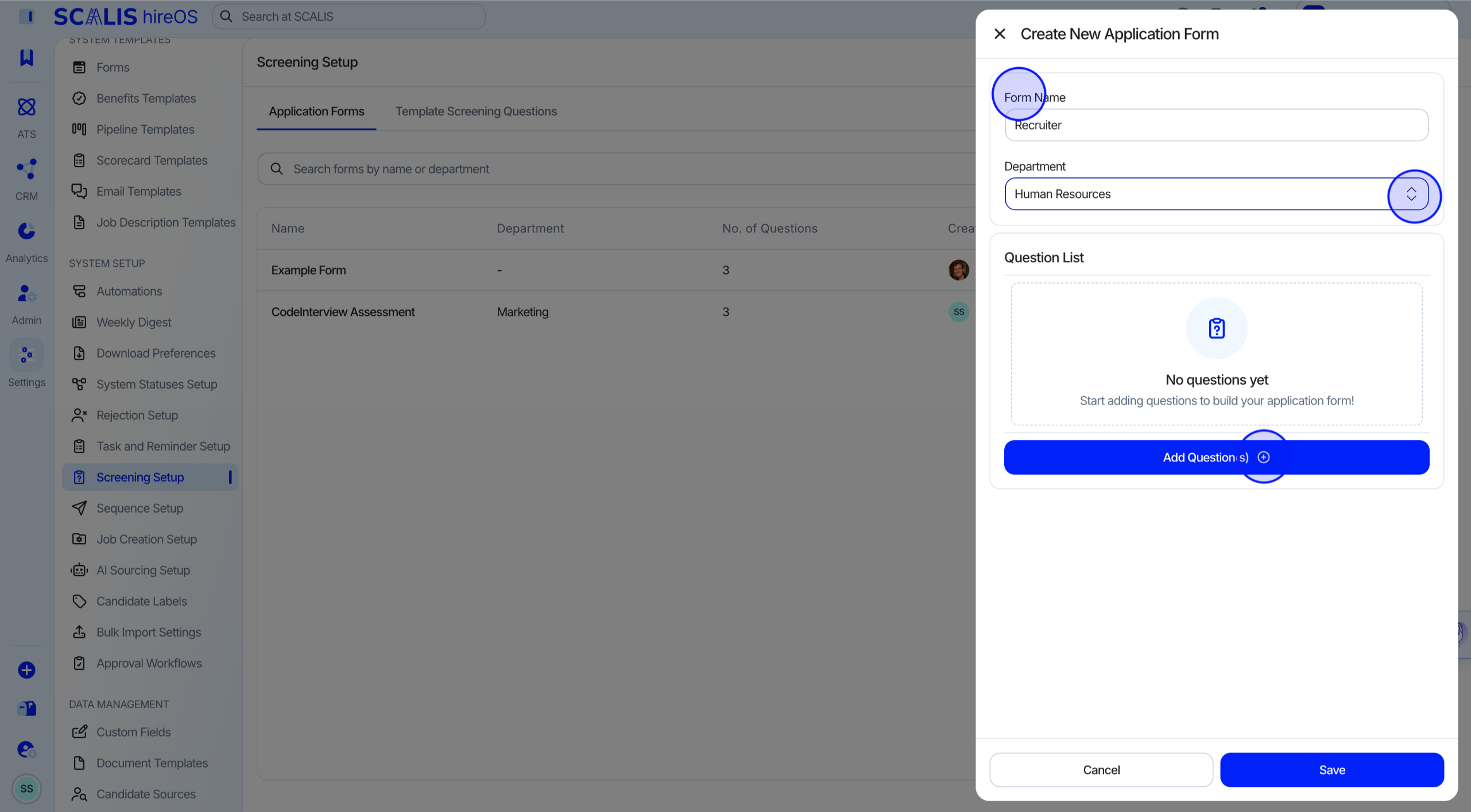
Name the Form
Enter a Form Name and select a Department.
Select Add Questions.
8
Step 8
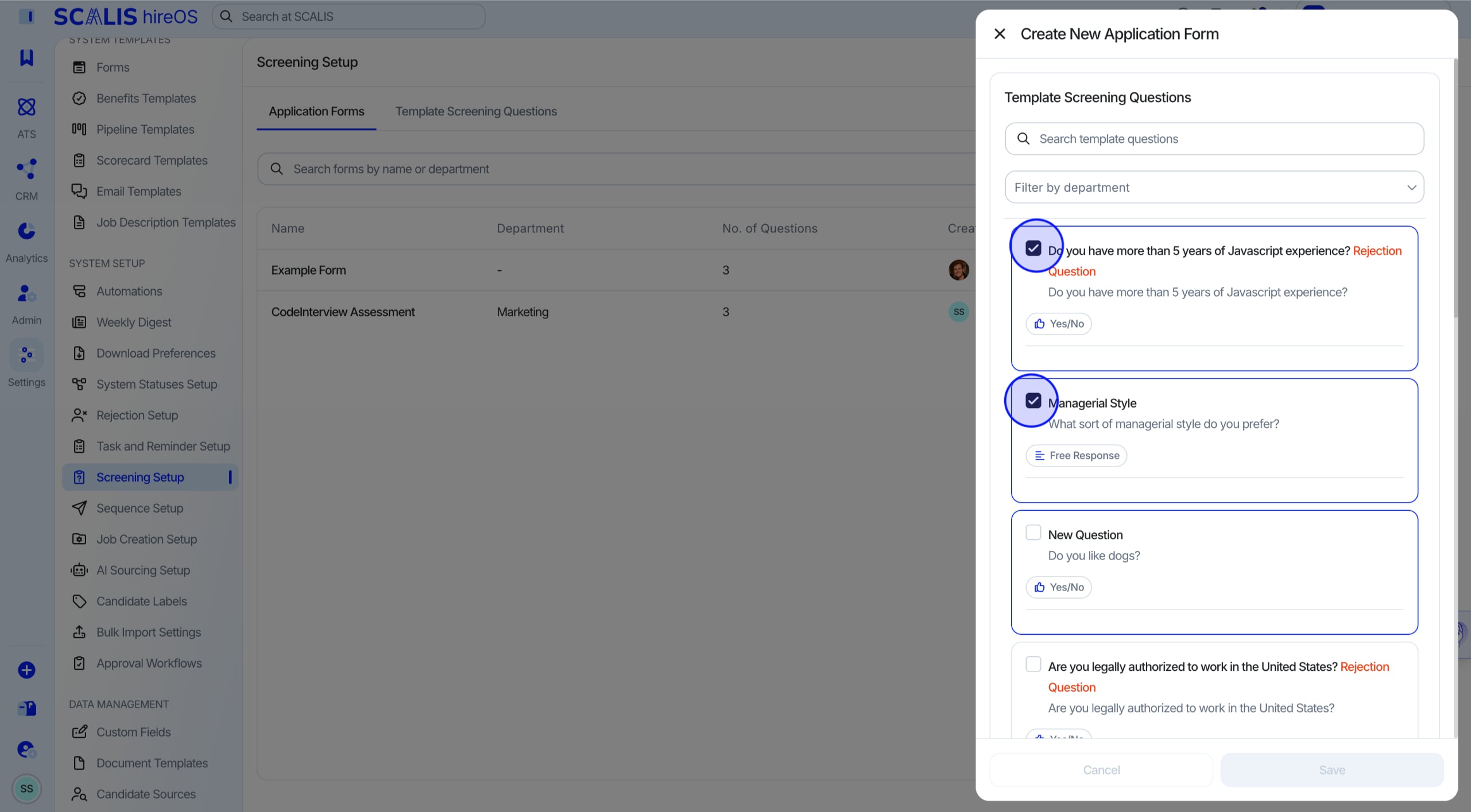
Add Template Questions
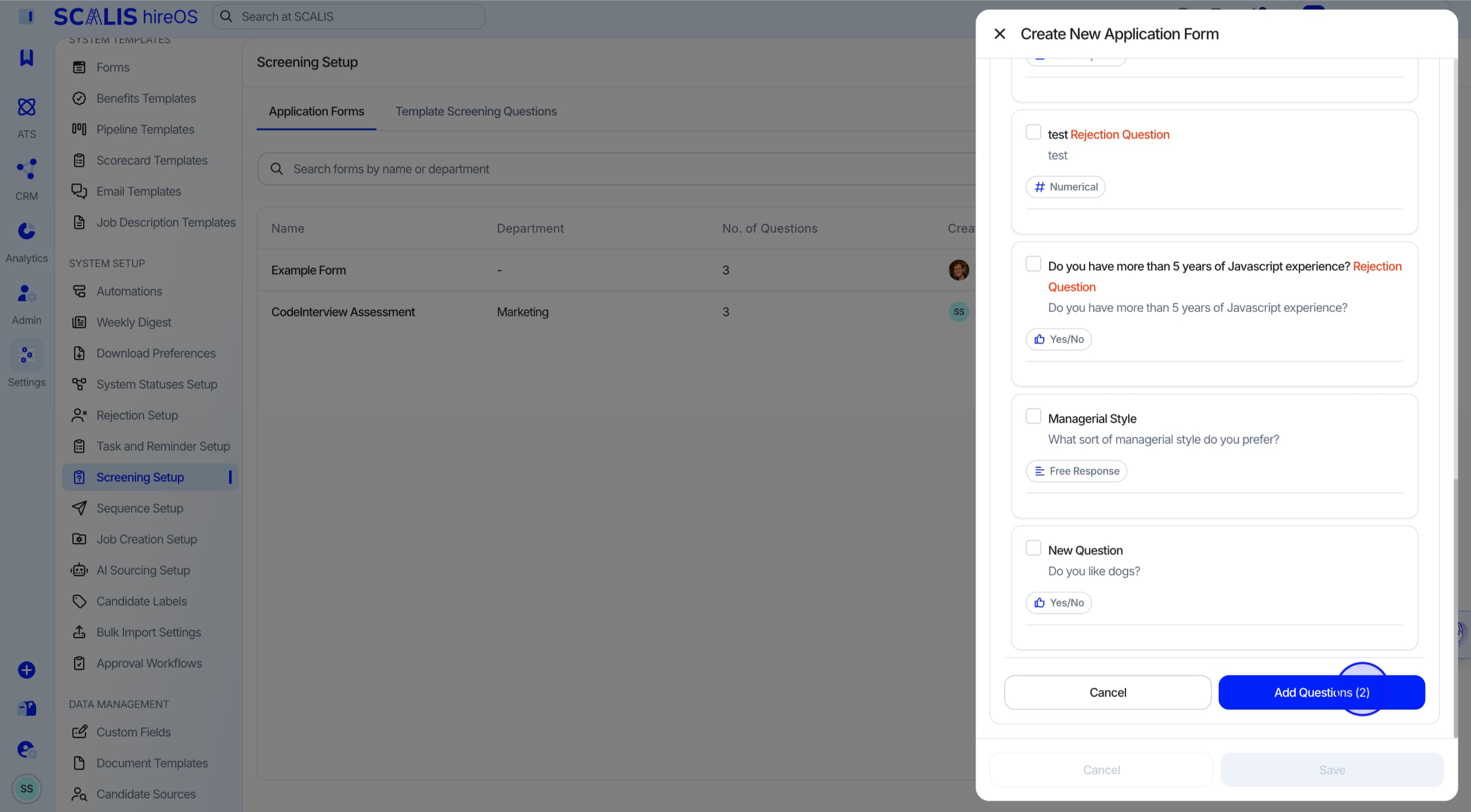
Add the Template Screening Questions that are relevant to this role. You don't need to select all of them.
9
Step 9
Finish Adding Questions
Once you've finished selecting questions, scroll to the bottom and select Add Questions.
✓
Final Step
Save the Form
Select Save.
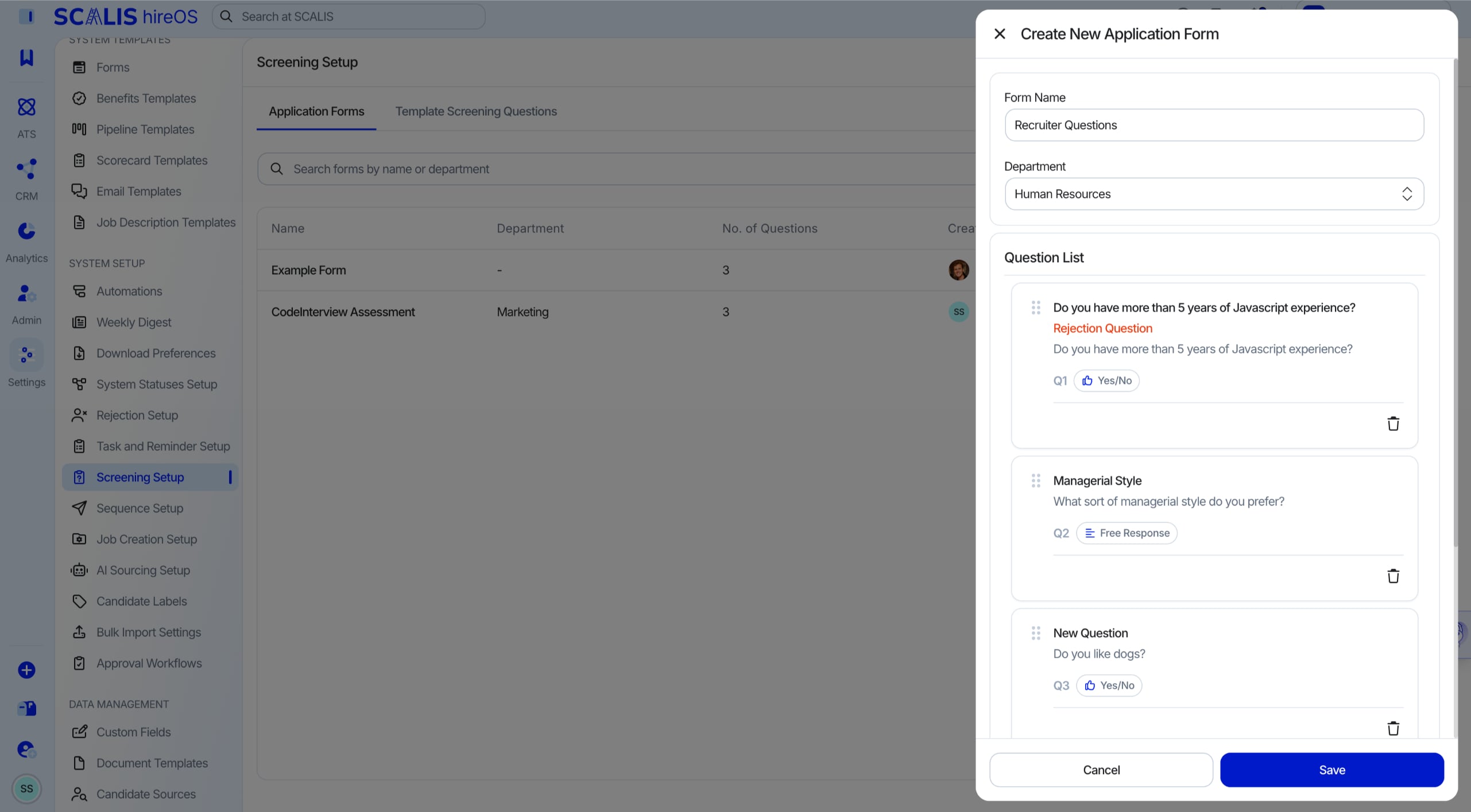
Your application form is ready to attach to a job listing. Reach out to your CSM any time you need a hand.