.png?width=1391&height=437&name=SCALIS%20Logo%20(1).png)
CANDIDATE MANAGEMENT
Follow this step-by-step article to learn how to upload a candidate.
4 steps
1
Step 1
Open the requisition
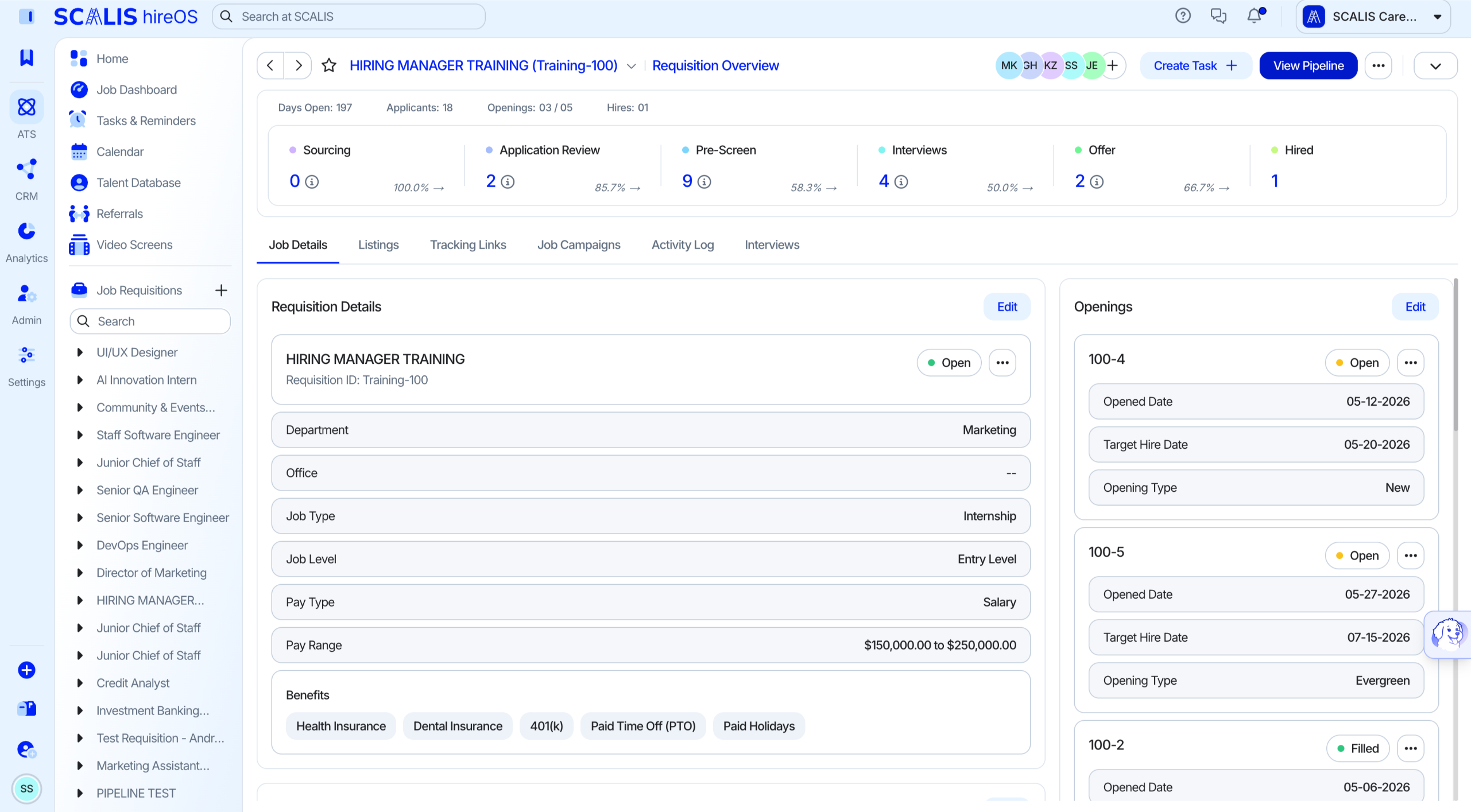
Navigate to the Job Dashboard and select the Requisition you want to upload a candidate to.
2
Step 2
Start the upload
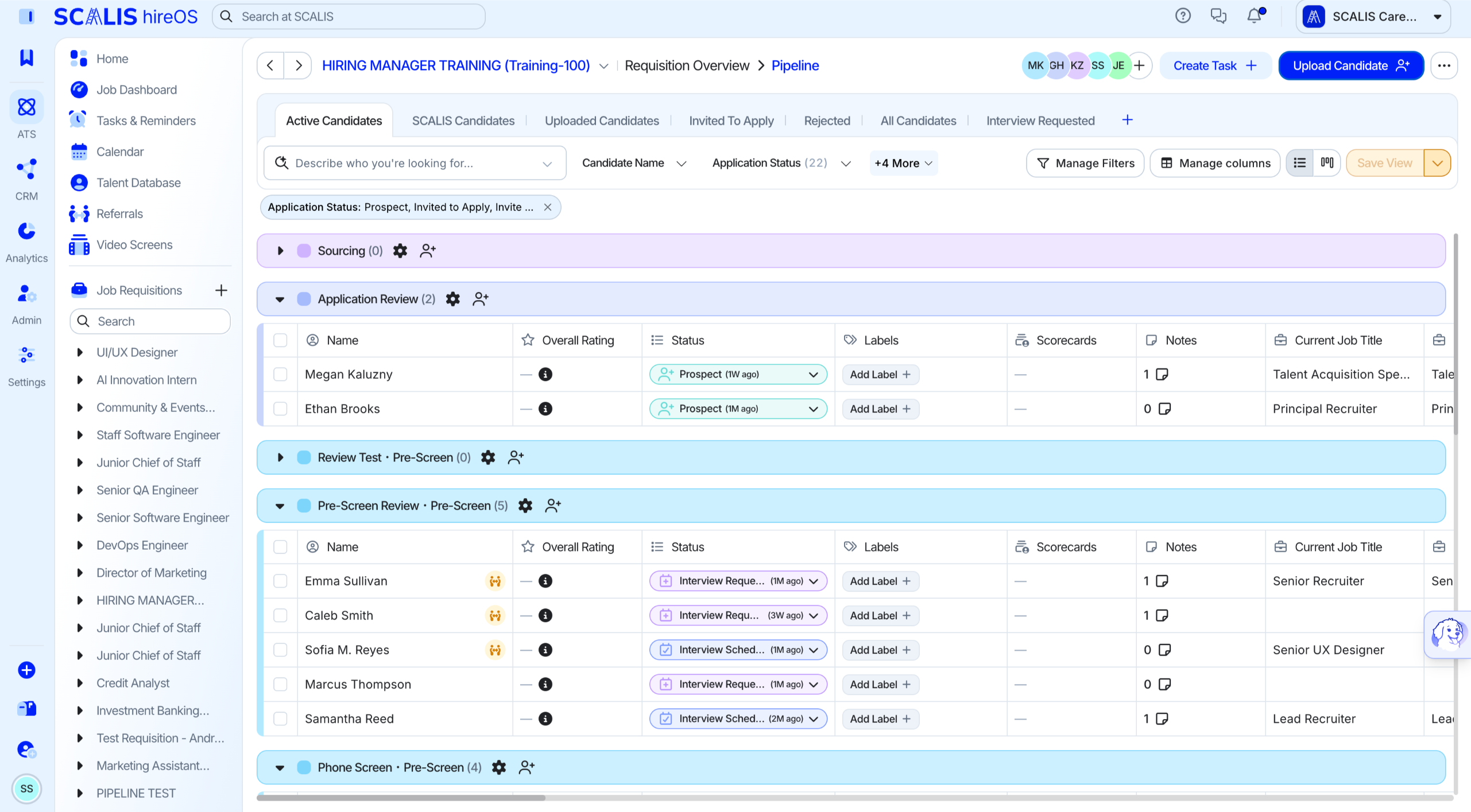
Select View Pipeline, then select Upload Candidate in the top right of the screen.
3
Step 3
Add the candidate's details
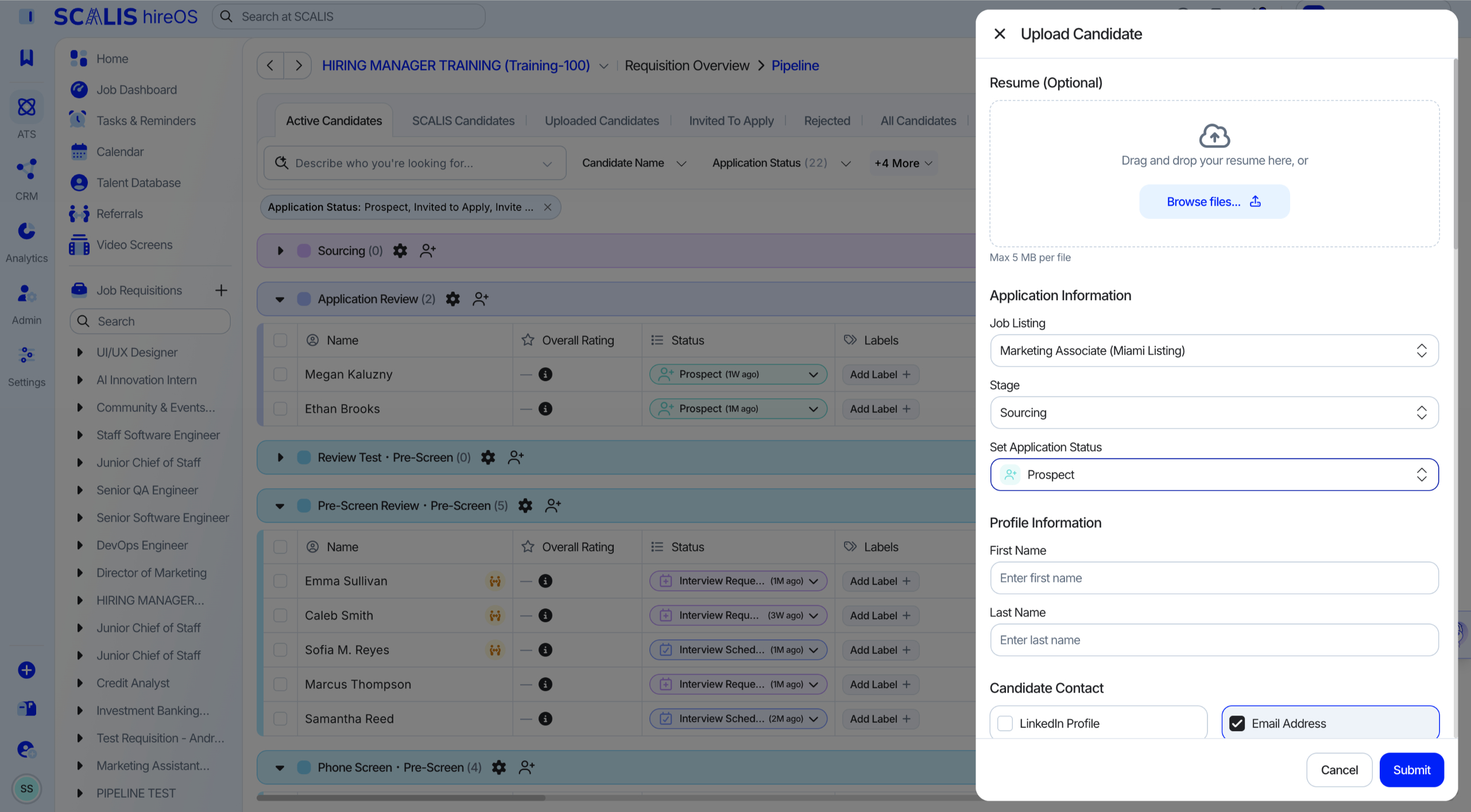
Upload the candidate's resume.
Fill out the Application Information, Profile Information, Source Information, and any notes about the candidate.
Select Submit.
✓
Final Step
Confirm the upload
You'll be able to see the candidate's profile in the stage they were uploaded to.
💡 Note: You can manage the candidate through the pipeline just like any other applicant, sourced, or uploaded candidate.
That's it! Your uploaded candidate is now ready to move through the pipeline.