.png?width=1391&height=437&name=SCALIS%20Logo%20(1).png)
TALENT DATABASE
Follow this step-by-step tutorial on how to leverage Bella, your Agentic AI Recruiting Partner.
6 steps
1
Step 1
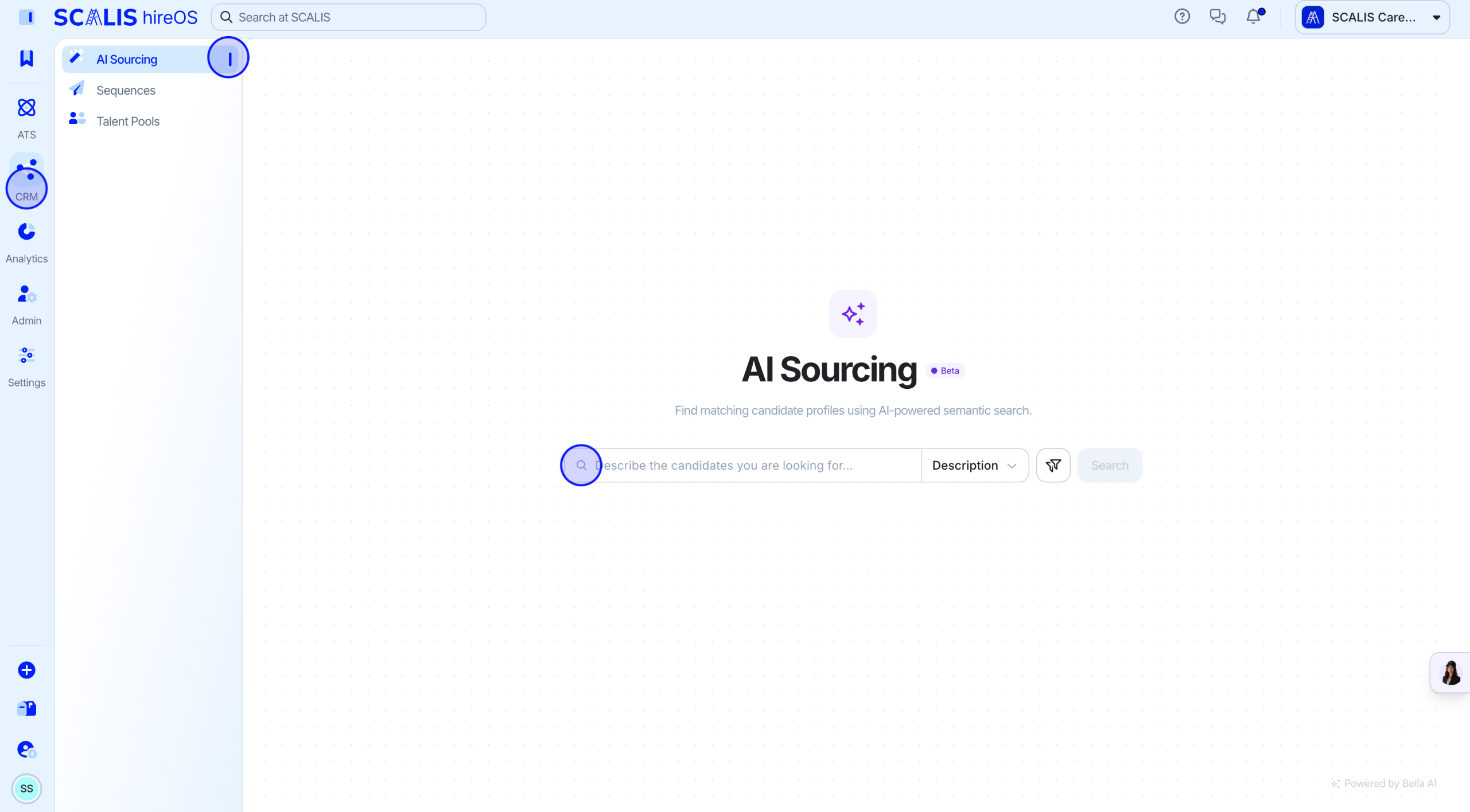
Open the AI Sourcing Tab
Navigate to your CRM and click the AI Sourcing tab.
2
Step 2
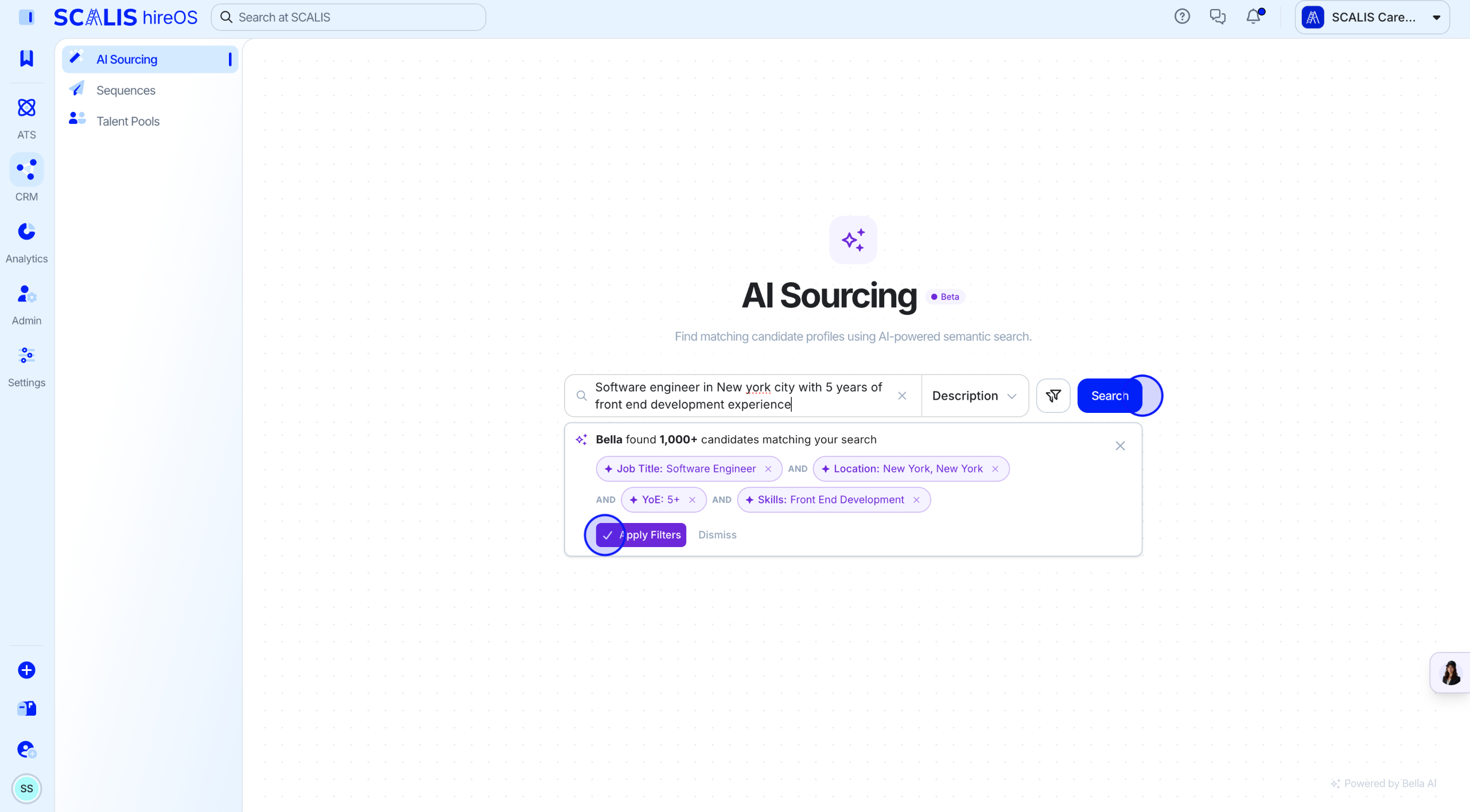
Run a Search
Type in a search prompt. Bella will suggest filters based on your prompt, then click Apply Filters.
💡 Note: Example prompt: Software Engineer in New York City with 5 years of frontend development experience.
3
Step 3
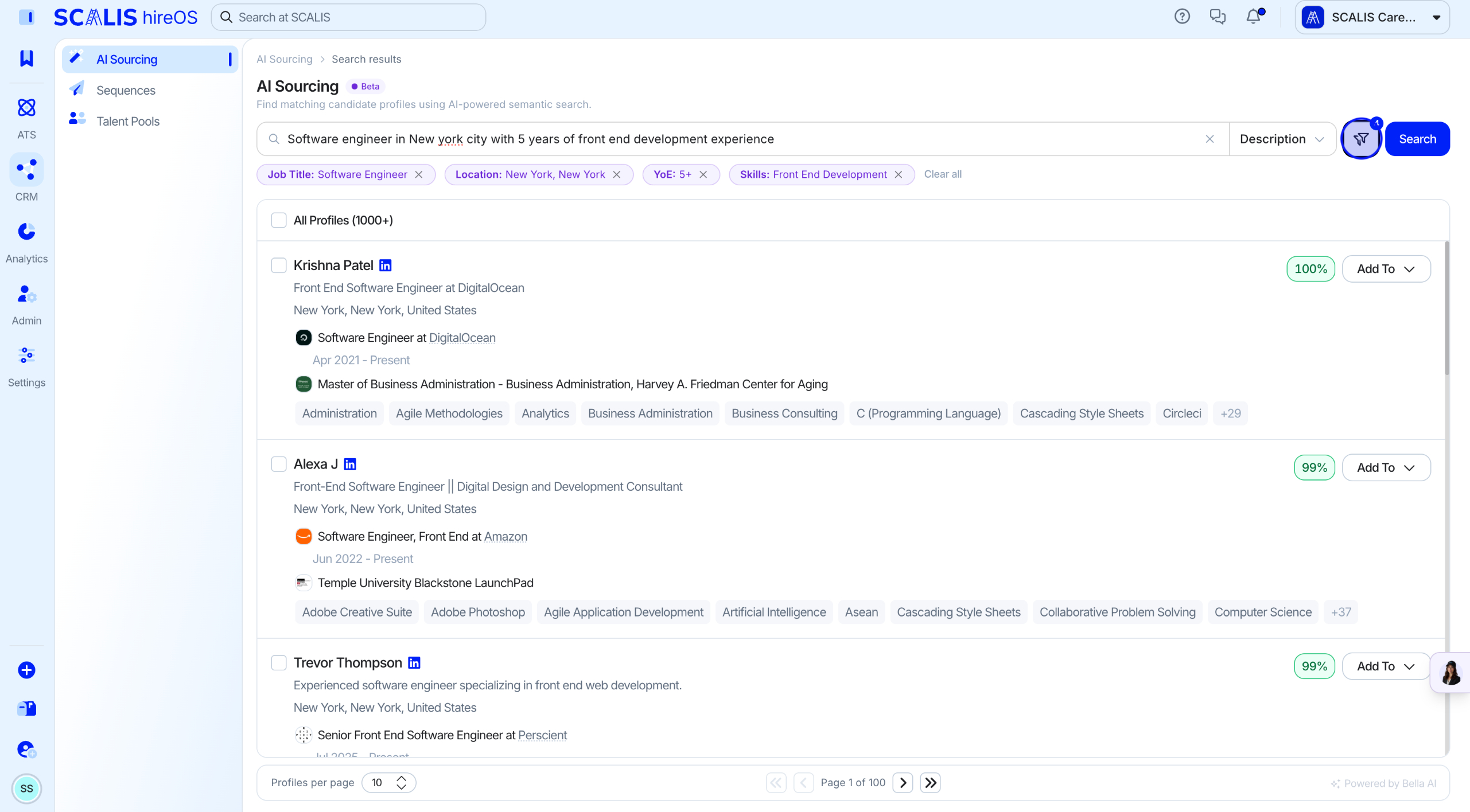
Refine Your Search
Refine your search by clicking the Filter button.
4
Step 4
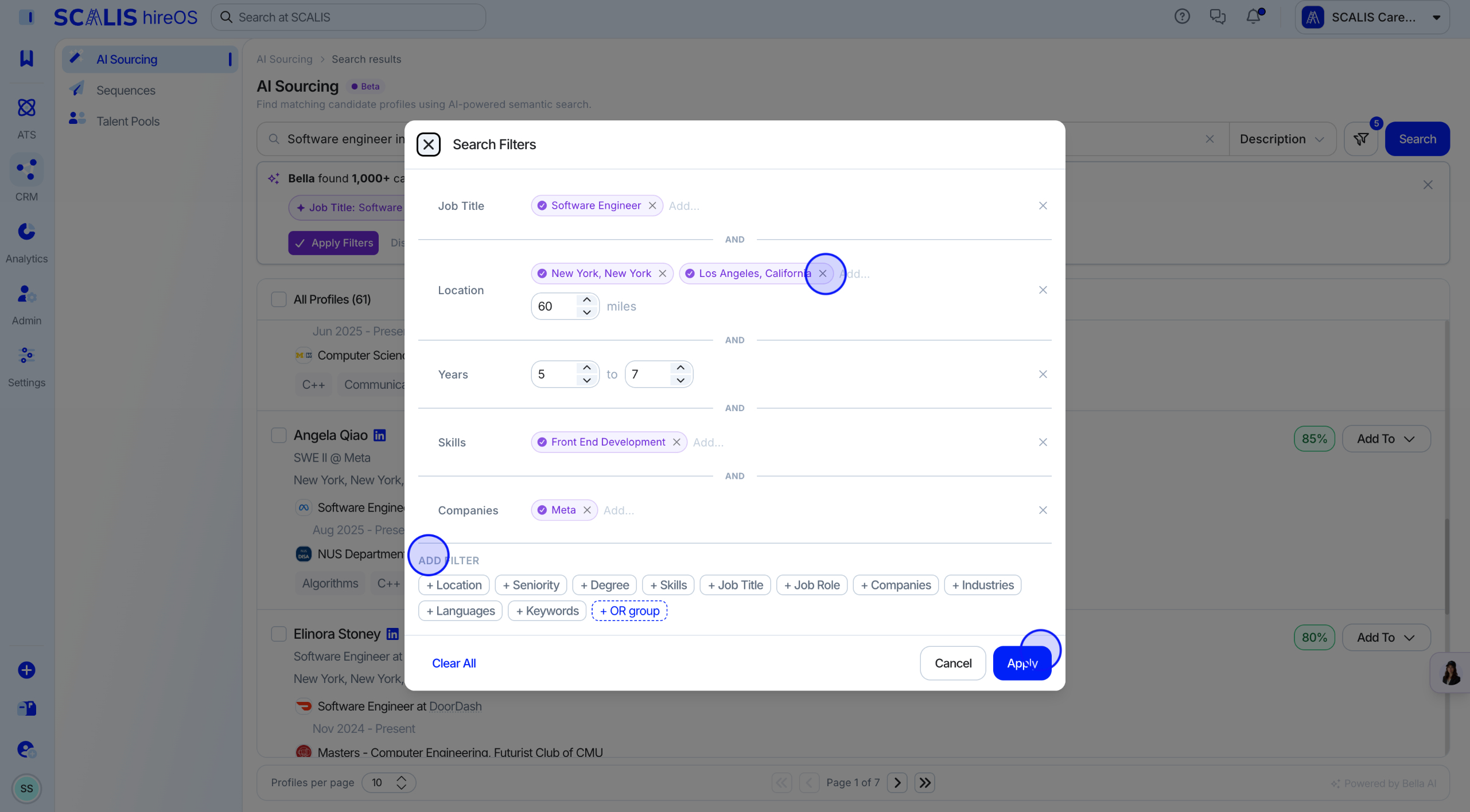
Apply Search Filters
Select and apply filters to align with your search criteria, such as:
Job Title
Location
Years of Experience
Skills
Companies
Degree
Seniority
Industries
Languages
Keywords
Click Apply.
💡 Note: You can run a Boolean search using AND / OR groups.
5
Step 5
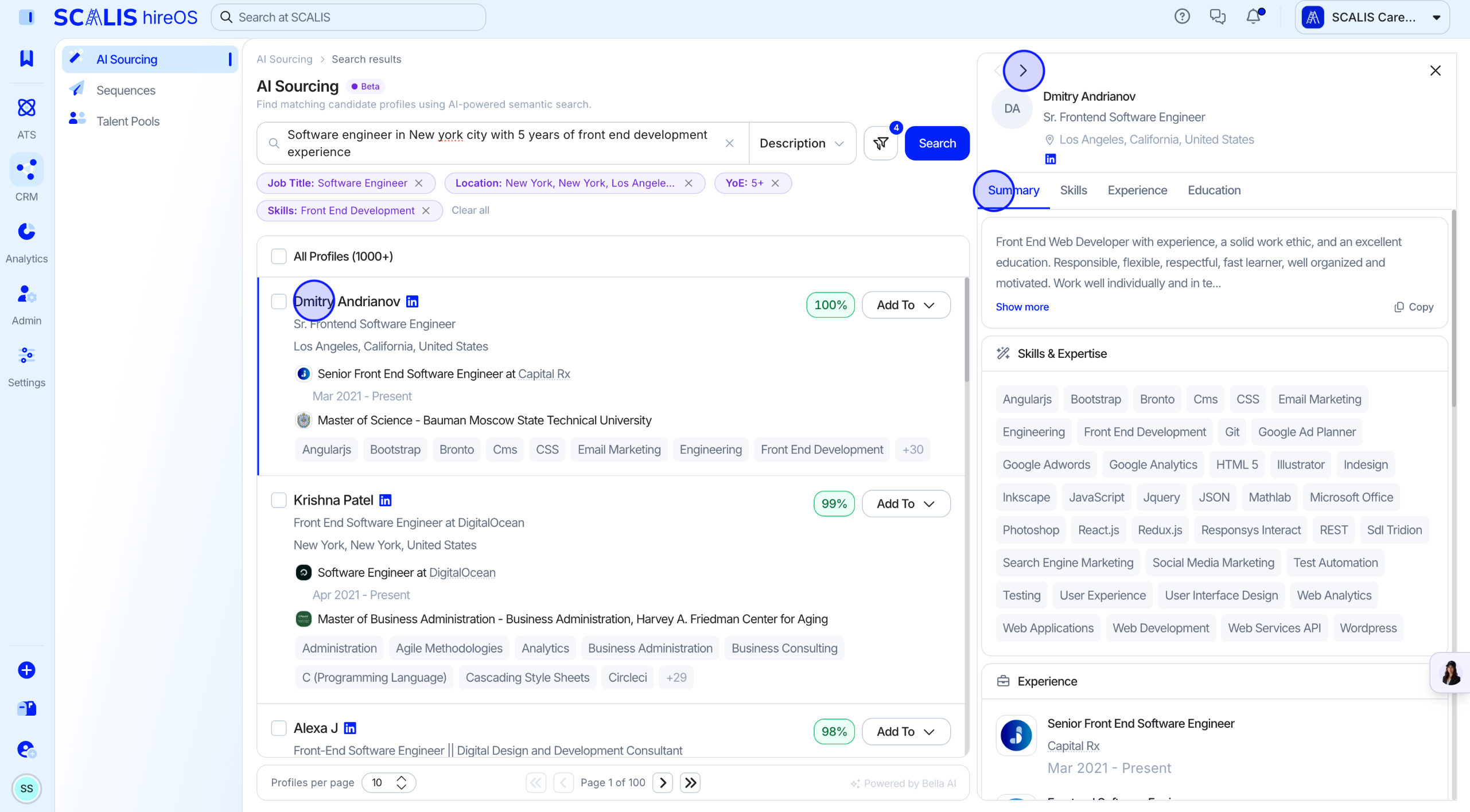
Review Candidate Profiles
Click into a candidate's name to reveal their education, skills, and work history.
Link out to their LinkedIn profile directly from this view.
✓
Final Step
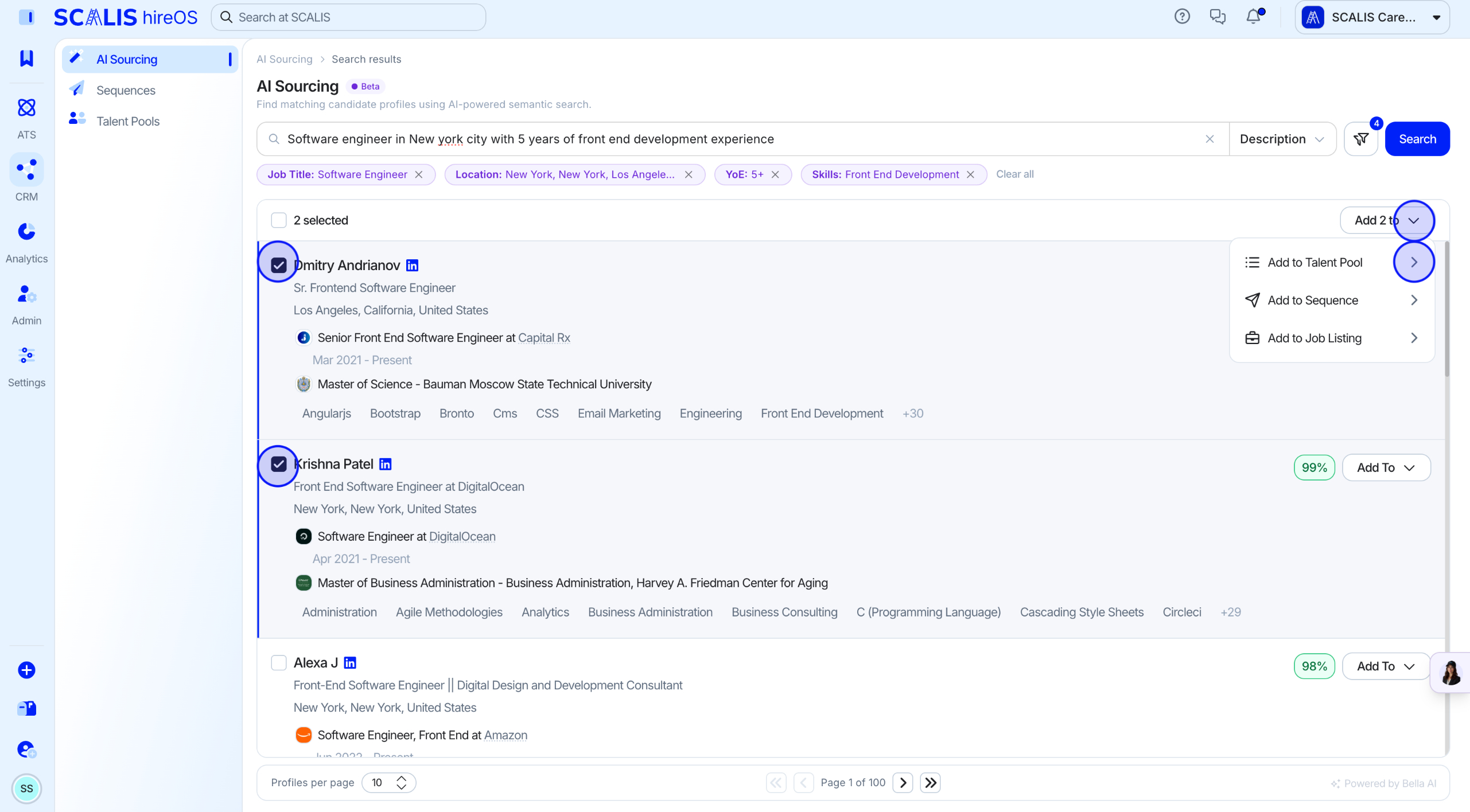
Take Action on Candidates
Add candidate profiles to Talent Pools, Job Requisitions, or Sequences directly.
💡 Note: To send sequence outreach, profiles must be enriched, which costs credits. Enrichment happens automatically when you enroll a candidate in a sequence.
That's it! Bella will keep sourcing candidates against these criteria so your pipeline stays full. Reach out to your CSM if you'd like a hand fine-tuning a search.